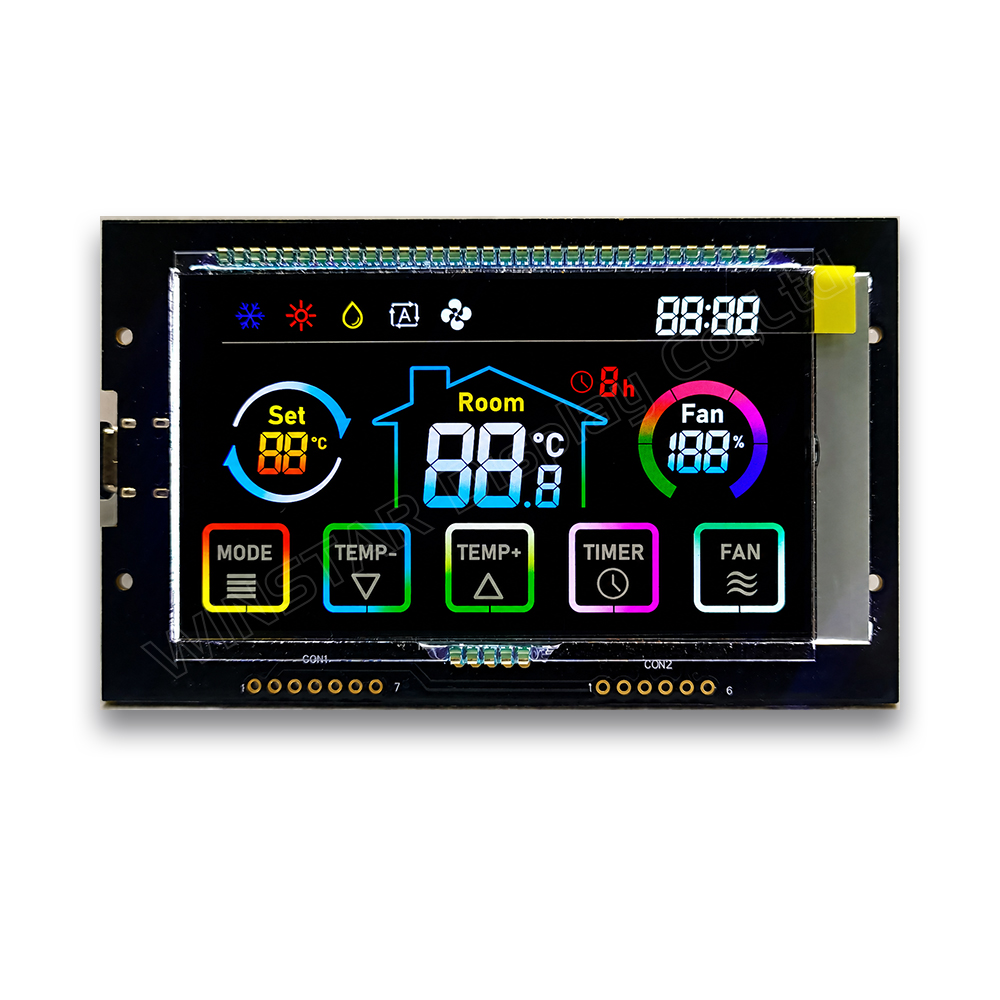
WWTK0004-00# is a demo kit designed to demonstrate a VATN display featuring full-color printing, smooth color gradients, full-viewing-angle technology, and integrated touch functionality. By simulating an air conditioner control panel, the demo kit allows users to evaluate the display appearance, viewing performance, and touch operation in a realistic application scenario.
VATN technology provides high contrast and excellent viewing performance. Combined with full-color printing, it delivers an attractive user interface while maintaining the cost advantages and simple driving characteristics of monochrome LCD technology. The integrated touch sensor helps reduce module thickness and overall system cost by eliminating the need for an additional touch panel.
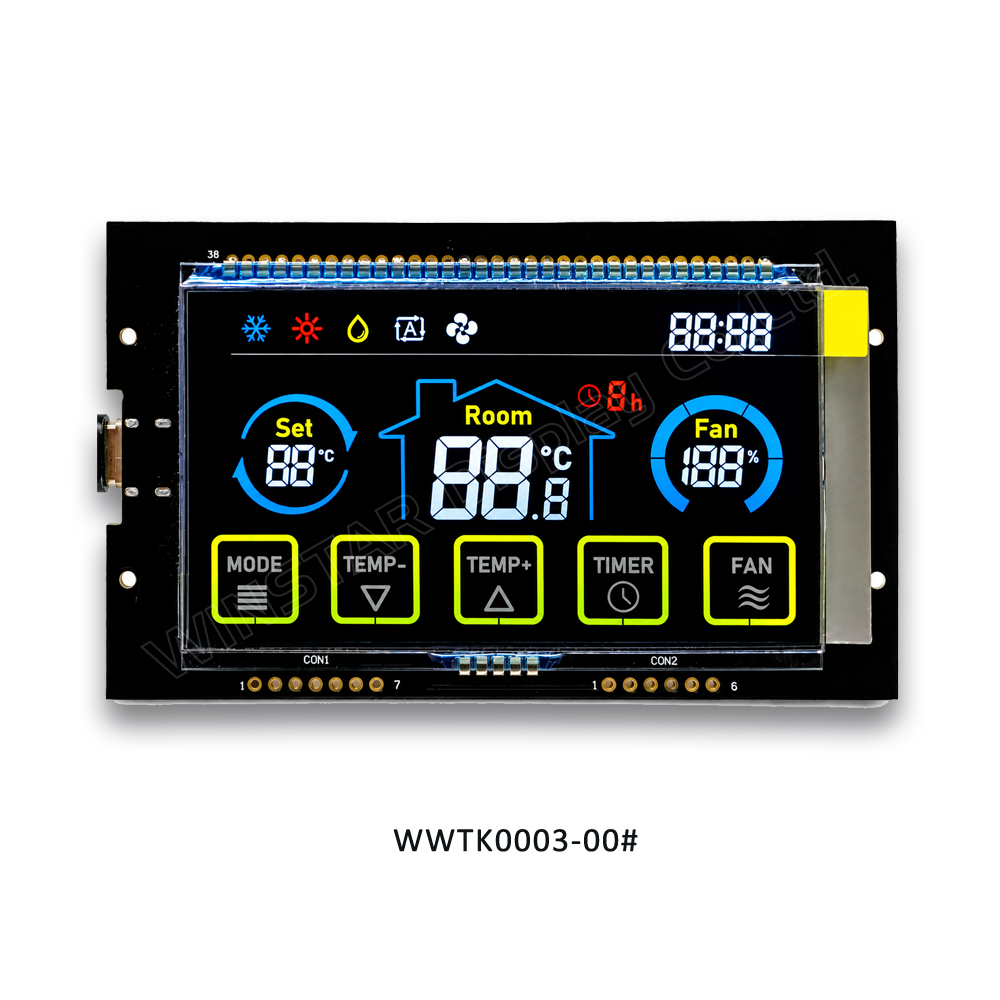
Alternative Demo Kit: WWTK0003-00# is also available for applications requiring a standard 6 o’clock viewing direction. Compared with WWTK0004-00#, WWTK0003-00# demonstrates full-color VATN performance without smooth color gradient effects.
The two demo kits share the same hardware platform but differ in viewing-angle technology and color rendering performance.
Electrical Characteristics
| Parameter |
Min |
Typ. |
Max |
Unit |
| Power supply voltage |
|
5 |
|
V |
| Power supply current |
|
200 |
300 |
mA |
Note: Electrical characteristics shown above are for WWTK0004-00#. The alternative model WWTK0003-00# is available upon request.
Hardware Configuration
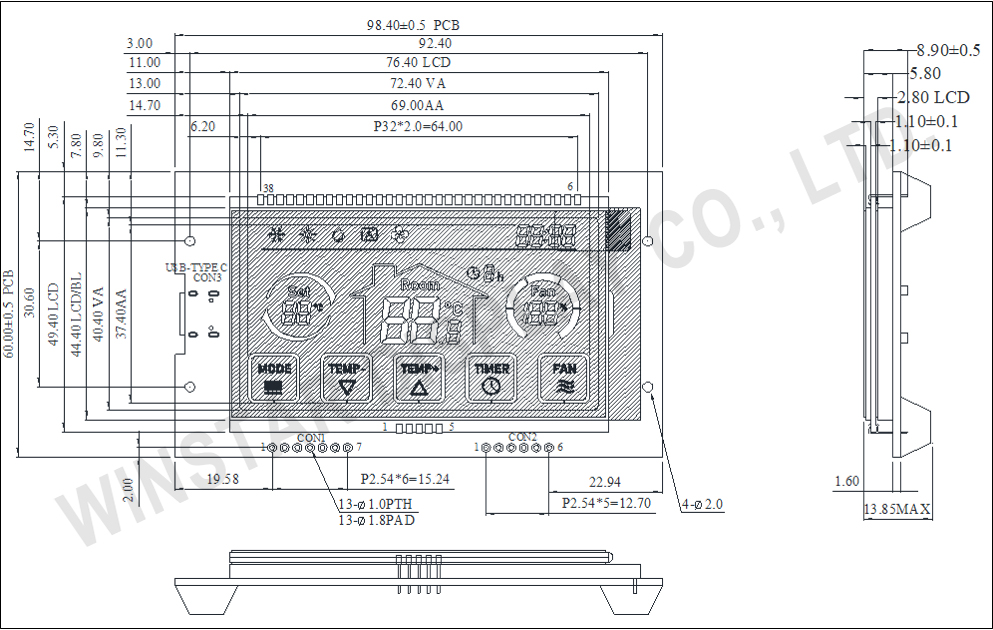
This demo kit is plug-and-play. Please use a Type-C USB cable to power the device.
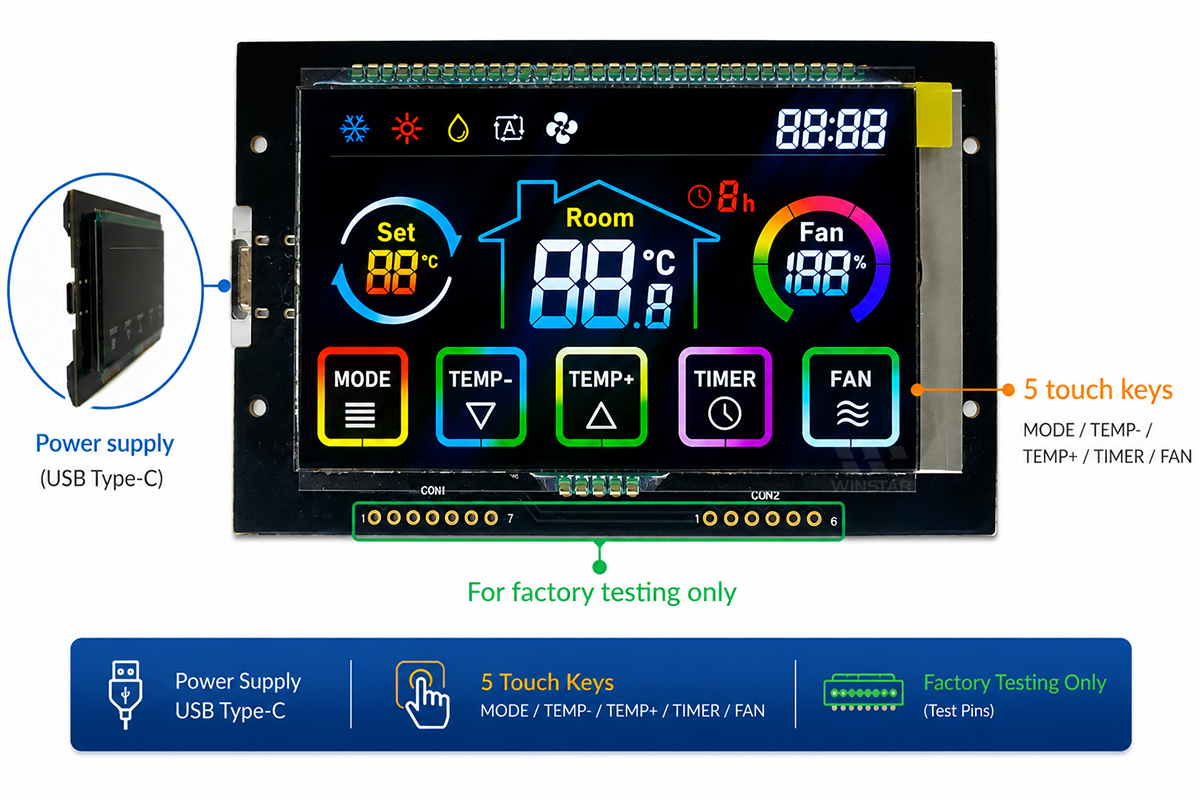
Figure 1. Hardware Layout
The demo kit provides five touch keys:
- Mode: Switch between cool, heat, dry, auto and fan modes.
- TEMP-: Decrease set temperature.
- TEMP+: Increase set temperature.
- TIMER: Configure the off-timer settings.
- FAN: Adjust the fan speed.
Viewing Angle Performance
The WWTK0004-00# utilizes advanced full-viewing-angle technology, as illustrated below. Compared with the standard VATN panel used in the WWTK0003-00#, the full-viewing-angle panel provides a wider viewing range but has lower light transmittance and therefore requires a higher-brightness backlight. Customers can select the appropriate demo kit based on their application requirements.
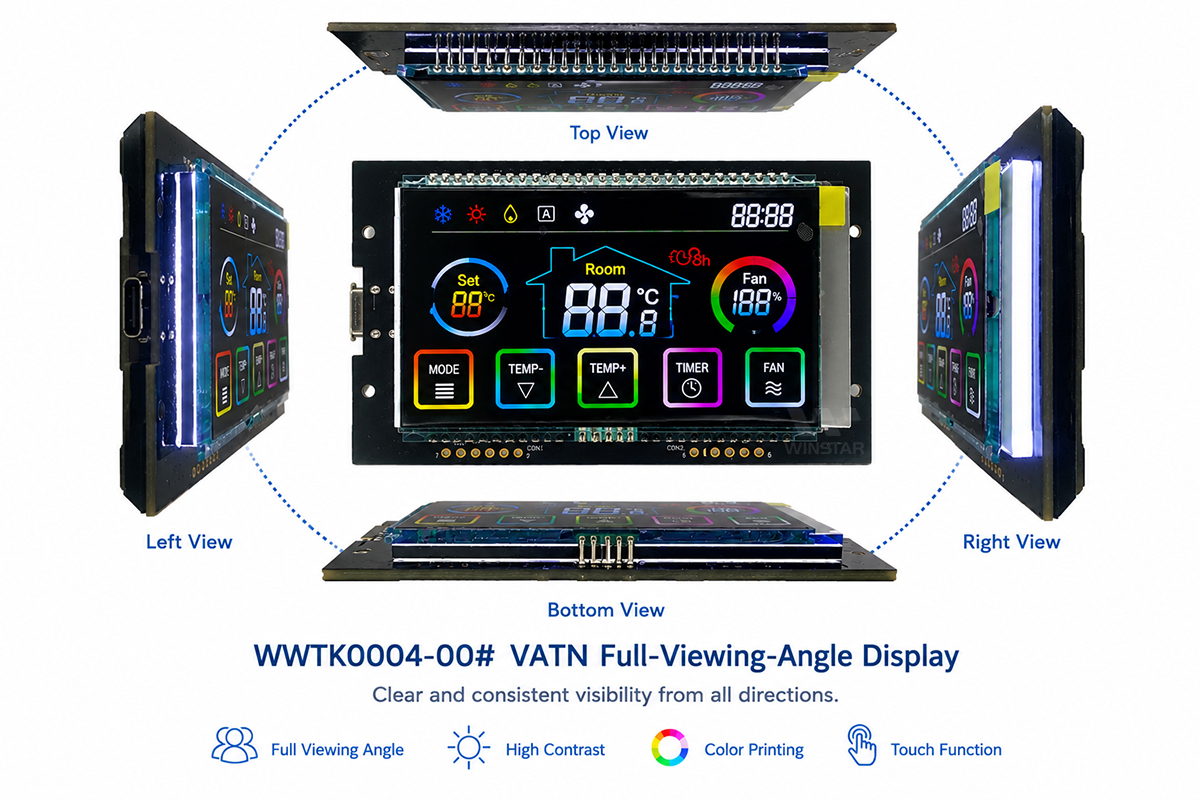
Figure 2. WWTK0004-00# Full-Viewing-Angle Display
Color Printing Option
Color printing can be applied to either the top or the bottom polarizer, each producing a distinct visual effect. When printing on the top polarizer, the colored icons remain visible on the glass surface even when the module is powered off.
Conversely, if printing is applied to the bottom polarizer, the colors become visible only when the display is powered on.
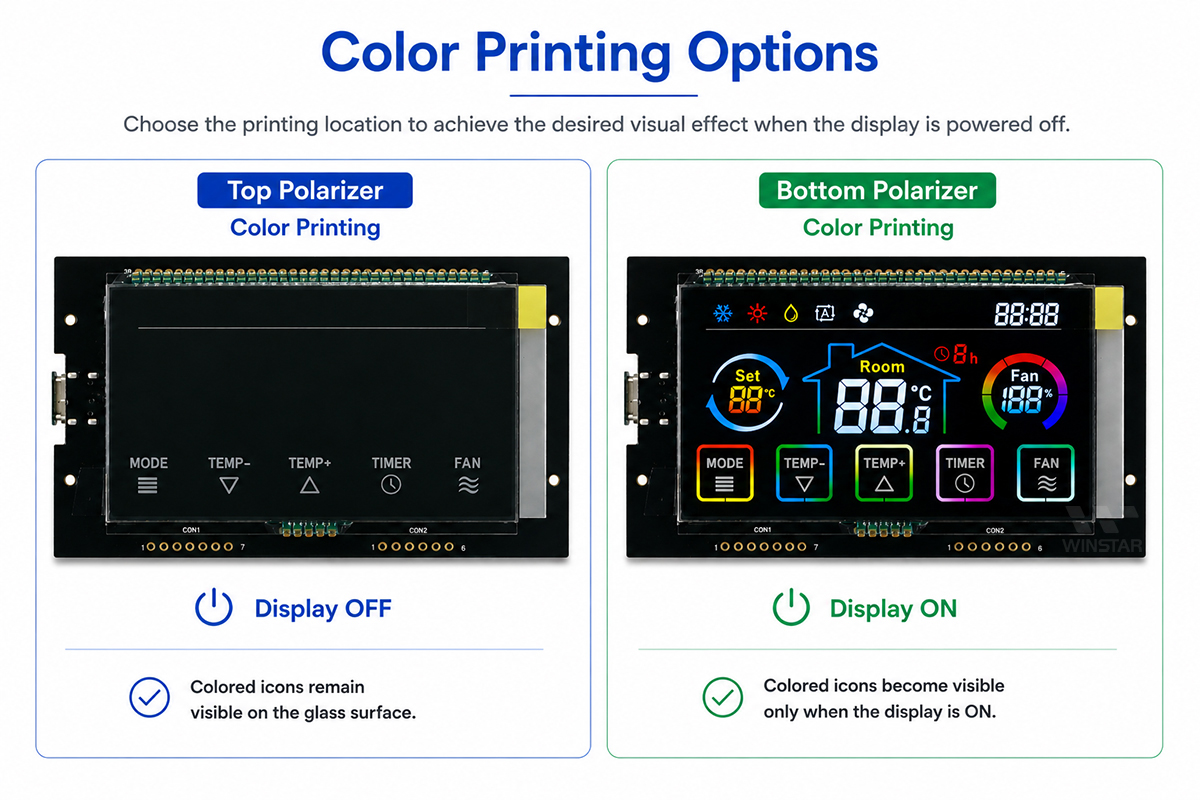
Figure 3. Color Printing Options