Why Do 2U Servers Need a Local Monitoring Interface?
2U servers are widely deployed in data centers, cloud computing, high-performance computing (HPC), AI computing, and storage systems. As server platforms integrate more processors, memory, storage devices, network interfaces, and cooling components, service personnel need access not only to the overall operating status of the server but also to key system and hardware information.
This information is typically available through a BMC (Baseboard Management Controller), web-based management interface, CLI, or centralized management platform. However, during installation, rack inspection, or troubleshooting, service personnel are often working directly in front of the server. If they only need to verify the identity or basic status of a unit, logging into a separate management system each time is not always the most direct way to access that information.
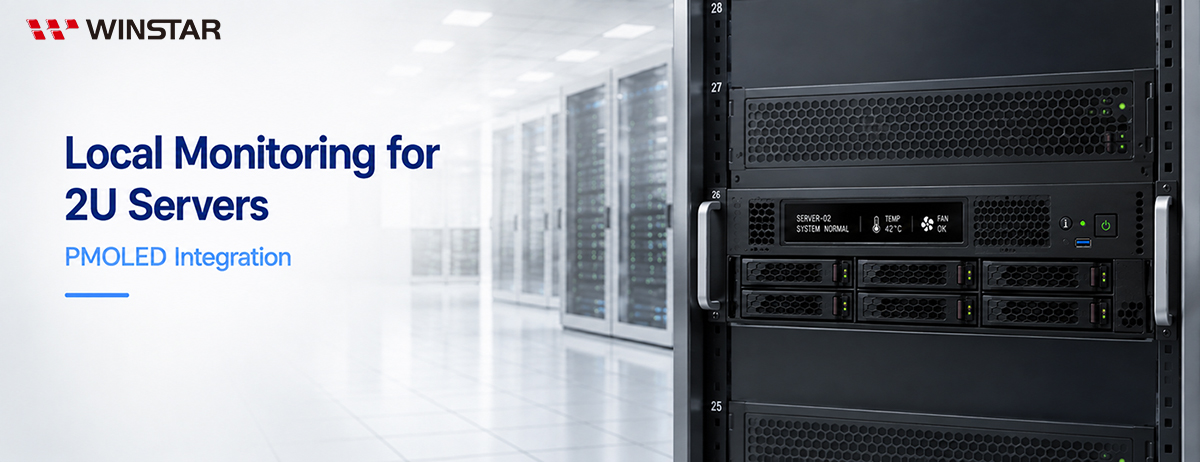
A local display integrated into the front panel of a 2U server can provide an on-site information interface alongside remote management tools. It allows service personnel to verify device identity and key system status directly at the rack and quickly identify which server requires further attention when an abnormal condition occurs.
Compared with a 1U server, a 2U chassis provides more vertical space for front-panel integration. Where the front-panel layout allows, the additional display area can extend the role of the local display beyond basic device identification and status indication into a more structured local monitoring interface.
From Device Identification to System Monitoring: Information Requirements for a 2U Local Display
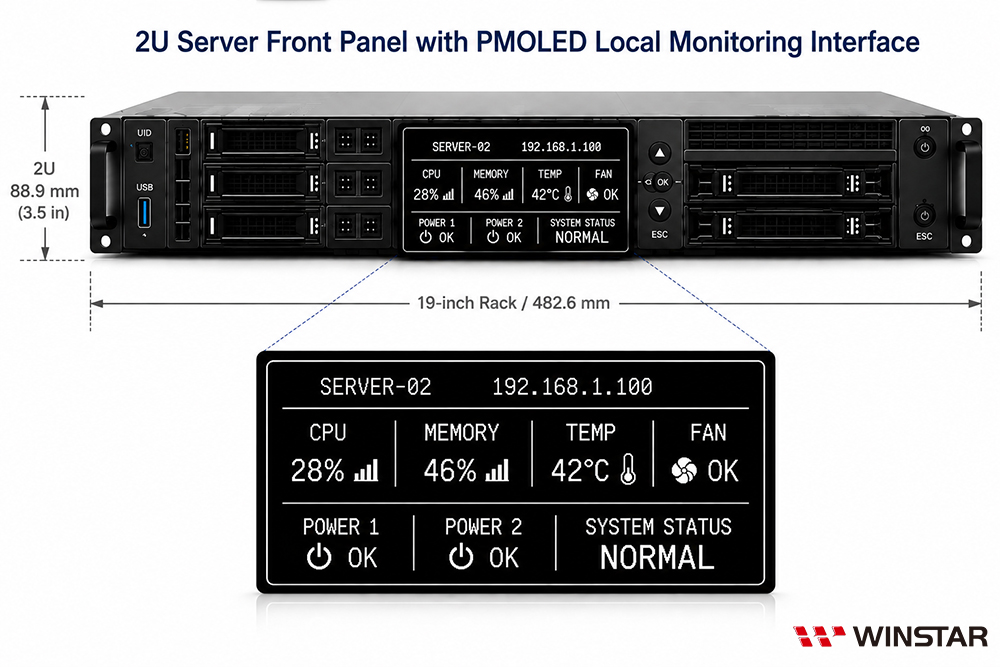
A server front-panel display does not need to reproduce all of the information available through a remote management system. Instead, it should prioritize information that service personnel need to check quickly while working at the rack. In addition to device identification information such as Server Name, Device ID, and Management IP, the display can provide key system and hardware status information.
During deployment or rack inspection, device identification information helps service personnel confirm which server they are working with. Information such as CPU and memory utilization, system temperature, fan status, power status, and network connectivity can provide a quick overview of the server's operating condition.
The goal of a local monitoring interface is not to display as much information as possible, but to present the information that is most useful for on-site assessment. The actual content should be determined by the server architecture, available system data, and maintenance requirements, rather than filling the limited display area with excessive monitoring data.
When conditions such as overtemperature, fan failure, or power faults occur, warning information should take priority on the local display. This allows service personnel to identify the type of abnormal condition first and then use the BMC or other management tools to access detailed logs and diagnostic information.
In this way, a 2U server front-panel display can extend from basic device identification to local system monitoring. Rather than duplicating a complete server management interface, it provides the information needed for quick on-site checks, helping service personnel identify equipment, verify system status, and perform initial troubleshooting.
How Should Information Be Prioritized on a 2U Server Local Display?
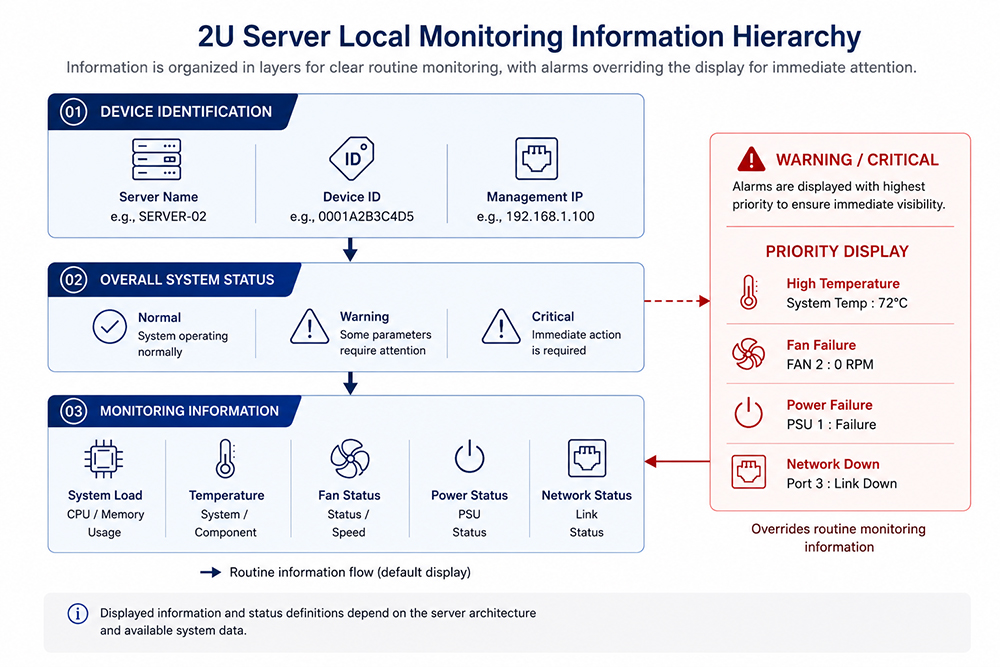
A larger display area does not mean that all system information should be shown at the same time. Presenting too much information can make on-site assessment more difficult. A local monitoring interface should therefore establish an information hierarchy based on priority and usage context, allowing service personnel to identify the server and check its overall status first, then access more detailed information when needed.
Device identification can provide the basic information on the primary screen, such as Server Name, Device ID, or Management IP, allowing service personnel to quickly confirm which server they are viewing. The specific fields can be selected according to the system management architecture rather than displaying every identifier at once.
Overall system status should be immediately visible, with status levels such as Normal, Warning, and Critical allowing service personnel to determine the server's operating condition before checking additional monitoring information.
Key operating information can be presented through multiple pages or screen switching as needed, including system load, temperature, fan, power, and network status. This prevents too many values from being concentrated on a single screen and affecting readability.
When an abnormal condition occurs, warning information should take display priority and can temporarily override routine monitoring content to show the affected item and its status. If the system provides component or location information, this can also be displayed to help service personnel identify the area that requires inspection.
| Display Level |
Recommended Information |
Display Method |
| Primary Screen |
Server Name, Management IP, System Status |
Normally displayed |
| Monitoring Information |
System Load, Temperature, Fan, Power, Network |
Page or screen switching |
| Abnormal Conditions |
Warning/Critical status, affected item |
Prioritized when an abnormal condition occurs |
Which Display Technology Is Suitable for a 2U Server Local Display?
A 2U server local display can use PMOLED, TFT LCD, or STN LCD technology. Display selection should consider factors such as display size, information density, UI complexity, readability, and mechanical constraints. If the interface is primarily intended for device identification, system status, and warning messages, its requirements differ from those of a full-color graphical HMI and may not require a large display or complex graphics.
TFT LCD offers a broad range of display sizes and resolutions, making it suitable for interfaces that require full-color GUIs, charts, dashboards, or higher information density. If the local display is intended to function as a more comprehensive HMI, TFT LCD provides greater flexibility for interface design.
STN LCD is a mature display technology suitable for basic information such as text, characters, and simple graphics. It remains a practical option when the interface is relatively simple and does not require complex graphics or fast screen updates.
PMOLED is well suited for small- to medium-sized interfaces that primarily display text, icons, and status information. Its self-emissive structure, high contrast, wide viewing angle, fast response, and backlight-free design make it a strong match for 2U server status display applications.
| Selection Factor for 2U Local Displays |
PMOLED |
TFT LCD |
STN LCD |
| Typical Display Size |
Primarily small to medium sizes |
Broad size range |
Primarily small to medium sizes |
| Typical Display Content |
Text, icons, status UI |
Full-color GUI, charts, dashboards |
Text, characters, simple graphics |
| Display Structure |
Self-emissive; no backlight required |
Non-emissive; typically uses an LED backlight |
Non-emissive; backlight depends on module design |
| Contrast |
High contrast; deep black levels |
Depends on panel and backlight design |
Depends on LCD mode and backlight configuration |
| Viewing Angle |
Wide viewing angle |
Depends on panel technology; IPS typically provides wide viewing angles |
Depends on LCD mode; generally more limited than PMOLED |
| Response Time |
Fast |
Fast |
Relatively slower |
| Typical Thickness* |
Approx. 1–2 mm |
Approx. 3–5 mm |
Without backlight: approx. 2–5 mm; with LED backlight: may exceed 10 mm |
| Best Suited 2U Display Requirements |
Small- to medium-sized status displays |
Larger full-color GUIs / high information density |
Basic text / simple status displays |
*Thickness values are for reference only and may vary depending on the panel, backlight, and module structure. Refer to individual product specifications for actual dimensions.
How Does PMOLED Address the Display Requirements of 2U Server Local Monitoring?
A 2U server local monitoring interface requires good readability, visibility from different viewing positions, and practical front-panel integration. The self-emissive structure, wide viewing angle, backlight-free design, and fast response of PMOLED (Passive Matrix OLED) align well with the requirements of this type of status display.
High contrast for clear status identification. As a self-emissive display, PMOLED can present text, icons, and warning information clearly against a black background, helping service personnel quickly identify the server and check system status or abnormal conditions.
Wide viewing angles for different rack positions. Servers may be installed at different heights within a rack, and service personnel may not always view the front panel straight on. The wide viewing angle of PMOLED helps maintain information readability when the display is viewed from different positions.
Thin, backlight-free structure for front-panel integration. PMOLED does not require a backlight module, reducing the thickness required by the display structure and providing greater flexibility when arranging the display alongside other front-panel components and internal hardware.
Fast response for status and warning updates. When system conditions change or an abnormal condition occurs, PMOLED can quickly update text, icons, and warning information. Its fast response also supports switching between different monitoring pages.
For 2U local monitoring interfaces that primarily use small- to medium-sized displays for text, icons, and system status information, PMOLED provides a practical balance of readability, viewing flexibility, a thin display structure, and responsive status updates.
How Should PMOLED Size Be Selected for 2U Server Information Requirements?
When selecting a PMOLED for a 2U server, display size should be evaluated together with available front-panel space, information requirements, resolution, and viewing distance, rather than simply choosing a larger display to accommodate more content.
For interfaces that primarily show device identification and basic status information, a small- to medium-sized PMOLED can present essential information through a concise combination of text and icons. If multiple system conditions need to be displayed at the same time, the display area and resolution should be evaluated together to ensure that font size, spacing, and overall readability are not compromised as information density increases.
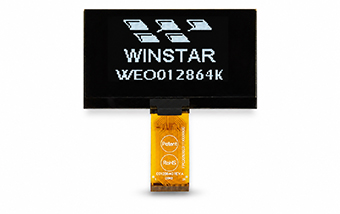
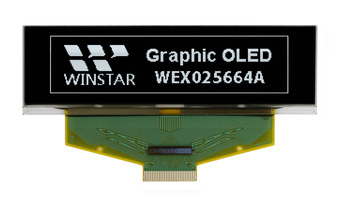
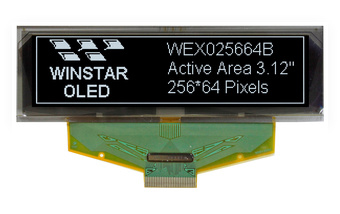
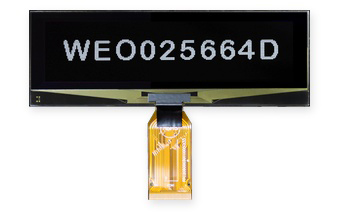
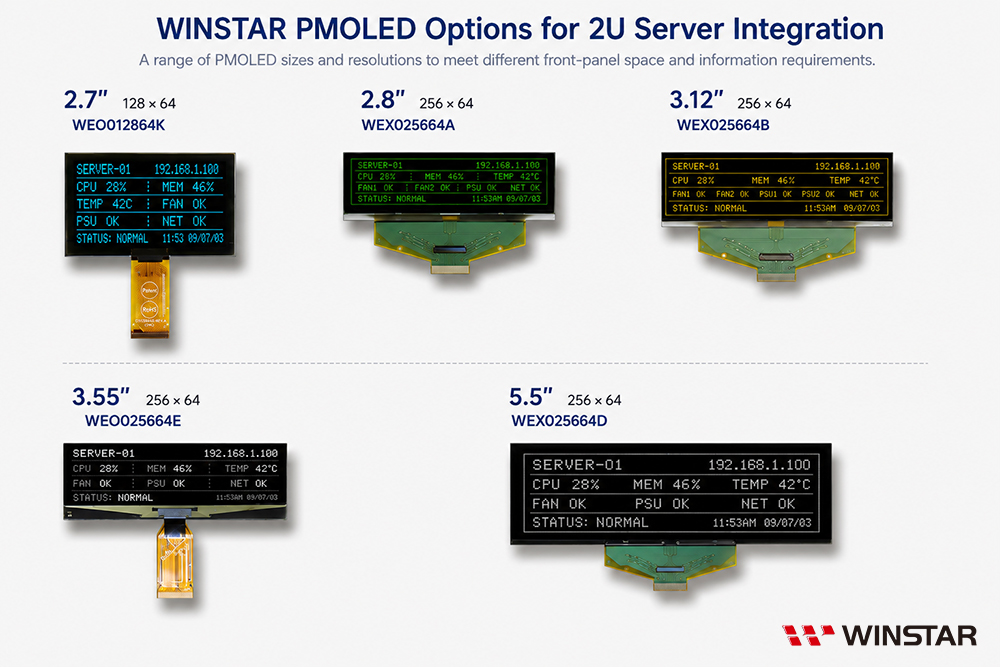
WINSTAR offers PMOLED displays in a range of sizes for different 2U front-panel layouts and information requirements. For example, 2.7-inch, 2.8-inch, and 3.12-inch displays can be used for more compact device information and status interfaces, while 3.55-inch and 5.5-inch displays provide a larger physical viewing area, allowing larger text, icons, and spacing depending on viewing distance and interface requirements. Actual selection should also consider each product's resolution, active area, outline dimensions, and aspect ratio, rather than relying on diagonal size alone.
When the amount of information exceeds what can be presented clearly on a single screen, increasing the display size should not be the only solution. Prioritizing information and using multiple pages can help maintain readability while controlling the amount of front-panel space required. The key consideration when selecting a PMOLED size is therefore not simply how much information can be displayed, but how much essential information can be presented clearly within the available space.
What Should Be Considered When Integrating PMOLED into a 2U Server?
When integrating a PMOLED into a 2U server, display specifications are only part of the design considerations. Mechanical integration, system communication, and long-term display operation should also be evaluated as part of the overall design.
Evaluate the complete module structure for mechanical integration. In addition to the outline dimensions and active area, the front-panel design should account for the space required by the PCB, FPC, connectors, and mounting structure.
Match the display interface to the system hardware architecture. The PMOLED presents information, while the actual server status data must be obtained from the host, BMC, MCU, or other system-side hardware and transferred to the display module. Display selection should therefore consider whether the PMOLED interface, controller IC, and required system resources are compatible with the intended system architecture.
Consider OLED characteristics for long-term display operation. Servers may operate continuously for extended periods. If fixed text or icons remain in the same position at high brightness for long periods, OLED pixel luminance degradation and uneven aging should be considered. The interface can incorporate brightness management, page switching, and display dimming or shutdown during idle periods, with the display restored when user interaction occurs or an abnormal condition requires attention.
For a 2U server PMOLED design, mechanical integration, system communication, and long-term display management should therefore be considered as part of the overall design-in process, rather than evaluating only whether the display module physically fits the front panel.
PMOLED for 2U Server Local Monitoring
A local display on a 2U server is not intended to replace the BMC or other remote management tools. Instead, it provides an on-site information interface that allows service personnel to verify device identity, system status, and abnormal conditions directly at the rack during installation, inspection, and troubleshooting. With an appropriate information hierarchy, the display can present the monitoring information that matters most on site without overcrowding the available front-panel space.
For local monitoring interfaces that primarily use small- to medium-sized displays for text, icons, and status information, PMOLED is a strong option to consider. The appropriate size and specifications should be selected according to information requirements, available front-panel space, and system architecture, while mechanical integration, system communication, and long-term display management should be addressed as part of the design-in process.
Find the Right PMOLED Display
WINSTAR offers graphic OLED displays in a range of sizes and resolutions, with customization options available to meet mechanical, interface, and connection requirements.