
Home Products Smart Display CAN Smart Display WL0F00101000JGAACSA05

10.1-inch CAN Bus Smart Display with Touch, GPIO, and 32MB Flash (Custom CAN ID)

Model No. WL0F00101000JGAACSA05

►TFT Size: 10.1 inch
►TFT Resolution: 1024×600 dots
►TFT View Direction: 85/85/85/85 (IPS)
►Communication Interface: CAN bus
►Protocol: Custom CAN ID + GPIO
►TFT Touch Panel: Capacitive Touch Panel
►Brightness(cd/m²): 400

Description

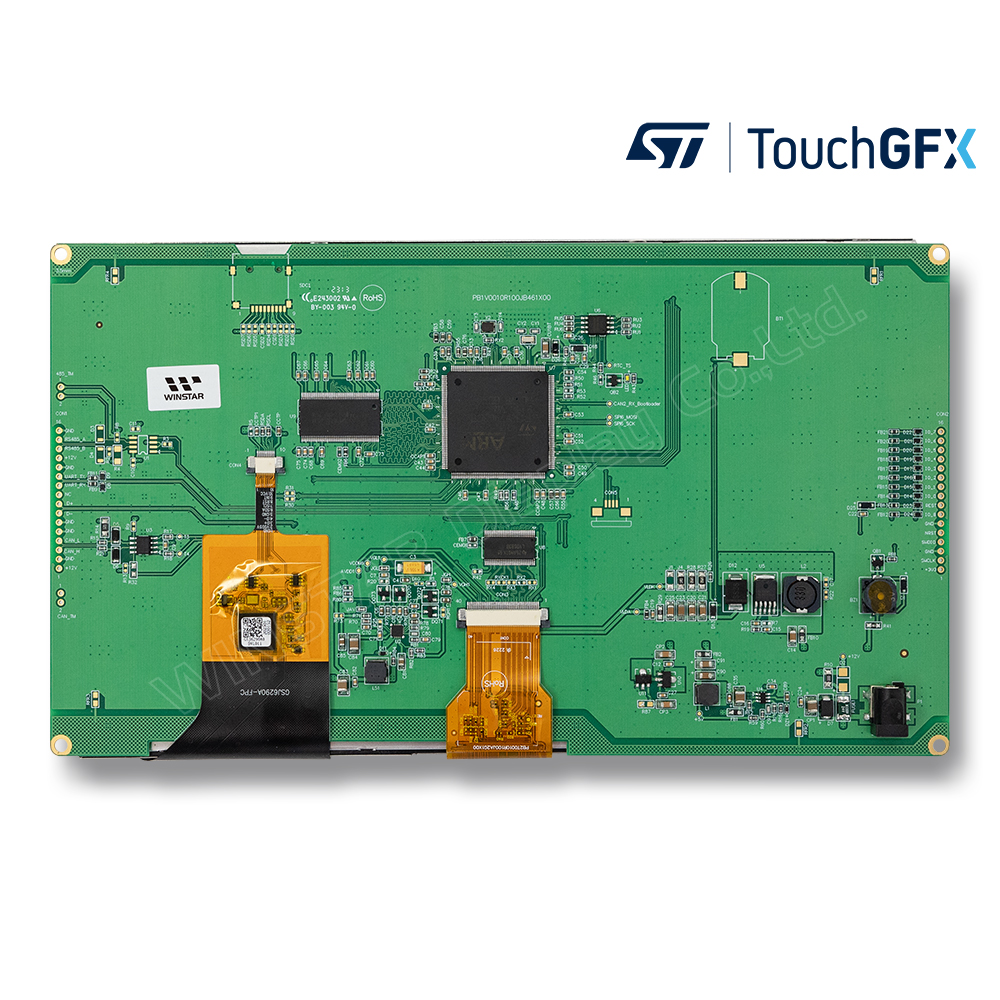
WL0F00101000JGAACSA05 is a 10.1-inch Smart Display from the CAN series, designed as a slave device. It is controlled via CAN bus commands from a master device to render content on the screen and return touch event data with protocol objects. Integrated with a standard TFT module WF101JTYAHLNB0 and a 4-layer PCBA, this model comes with built-in firmware, making it a powerful yet cost-effective solution for rapid project development.

Key Features:

  • +12V power supply input, with a power consumption of approximately 6W.
  • Self-testing function after booting.
  • CAN bus communication interface for easy integration.
  • Supports custom CAN ID protocol with a default baud rate of 250Kbps.
  • 32MB external flash memory for storing fonts and Object Dictionary Data.
  • Projected Capacitive Touch (PCAP) support for enhanced touch responsiveness.
  • Embedded buzzer, controllable by the master device.
  • Flexible HOST platform options: Computer (with USB-to-CAN Dongle), MCU, or Raspberry Pi (with PiCAN2).
  • General-purpose GPIO support for additional custom functionality.
  • No-code UI design with the WINSTAR GUI Builder! (►GUI Builder User Guide)
  • Powered by STM32F series MCU and compatible with STMicroelectronics’ software development tools.
  • Extended memory management features, including:
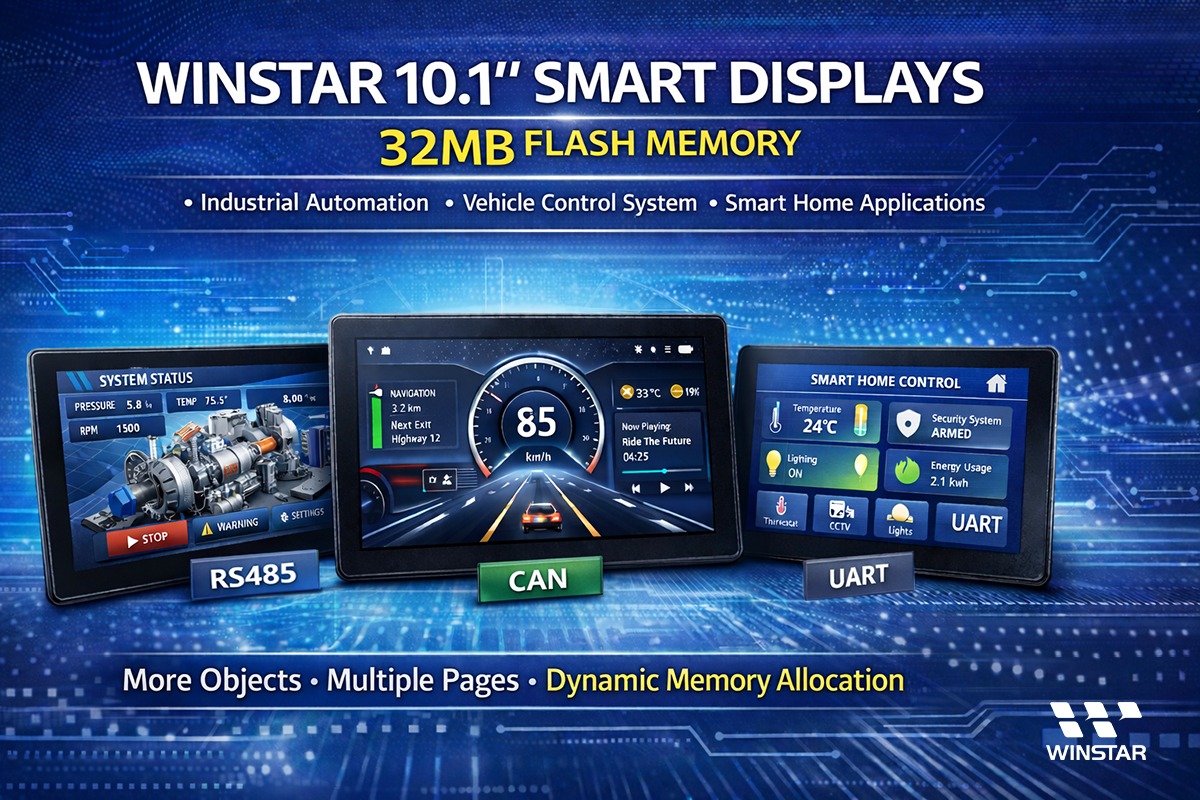
    • Maximum 255 objects per page (compared to 64 objects in the 16MB version).
    • Maximum 1000 total objects (compared to 500 in the 16MB version).
    • Up to 64 pages (compared to 30 pages in the 16MB version).
    • Dynamic memory allocation support for improved flash storage management.
 

Try before you buy! Contact us to download the WINSTAR GUI Builder application.


WINSTAR 10.1-inch Smart Displays - 32MB FLASH Memory


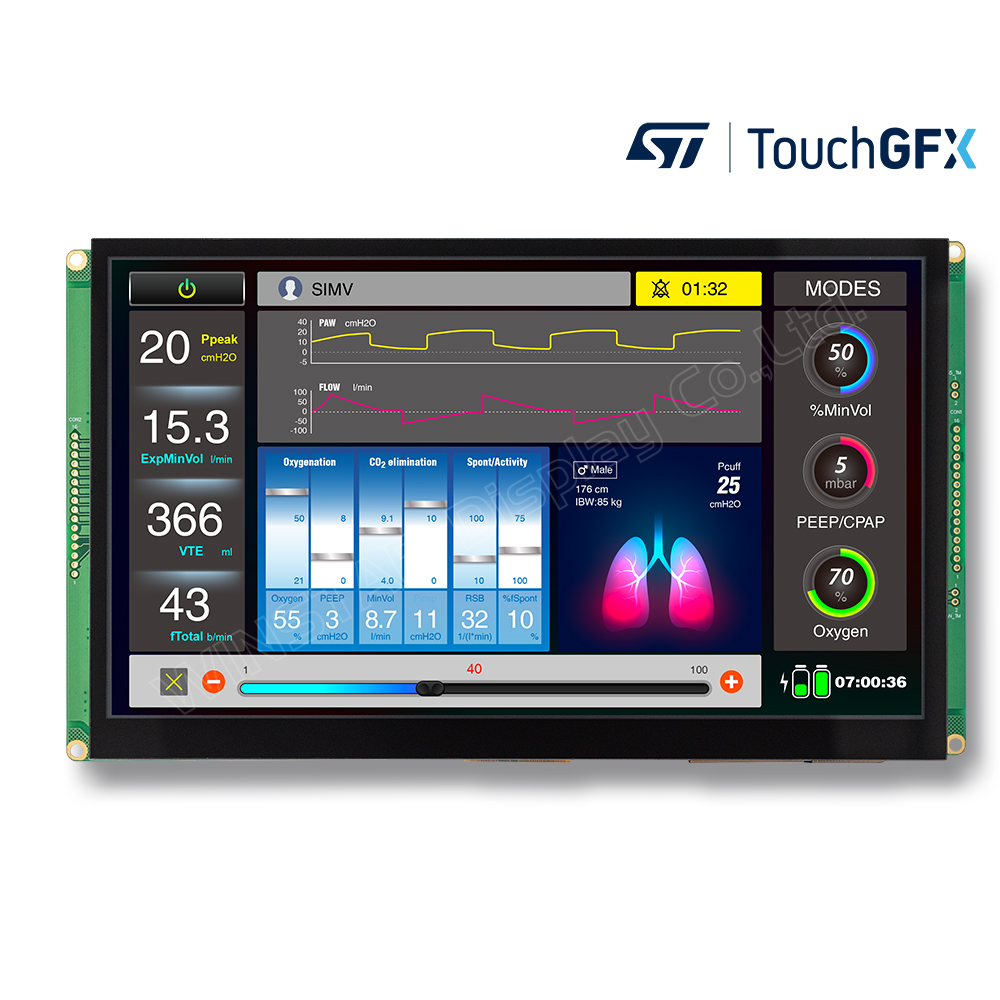
Smart Display products are designed with STMicroelectronics' (ST) controller which supports ST development tools like TouchGFX and STM32CubeIDE. You can also use ST tools to design WINSTAR Smart Display modules besides GUI builder.

  • TouchGFX: An advanced free-of-charge graphic software framework optimized for STM32 microcontrollers.
  • STM32CubeIDE: An advanced C/C++ development platform with peripheral configuration, code generation, code compilation, and debug features for STM32 microcontrollers and microprocessors.
  • STM32CubeMX: A graphical tool that allows a very easy configuration of STM32 microcontrollers, as well as the generation of the corresponding initialization C code for the Arm® Cortex®-M core or a partial Linux® Device Tree for Arm® Cortex®-A core, through a step-by-step process.
  • STM32CubeProg: An all-in-one multi-OS software tool for programming STM32 products. It provides an easy-to-use and efficient environment for reading, writing and verifying device memory through both the debug interface (JTAG and SWD) and the bootloader interface (UART, USB DFU, I2C, SPI, and CAN).
 

If you have purchased a WINSTAR Smart Display and wish to develop it by TouchGFX, please contact us through our website to obtain the initial code.


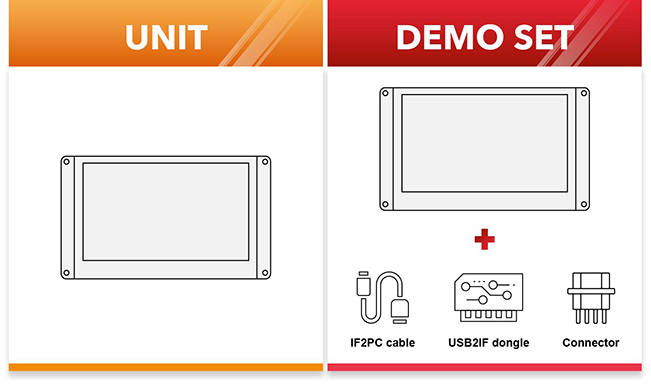
We also provide demo set with all needed accessories for you to realize your GUI design on smart displays.
We also provide demo set with all needed accessories for you to realize your GUI design on displays.

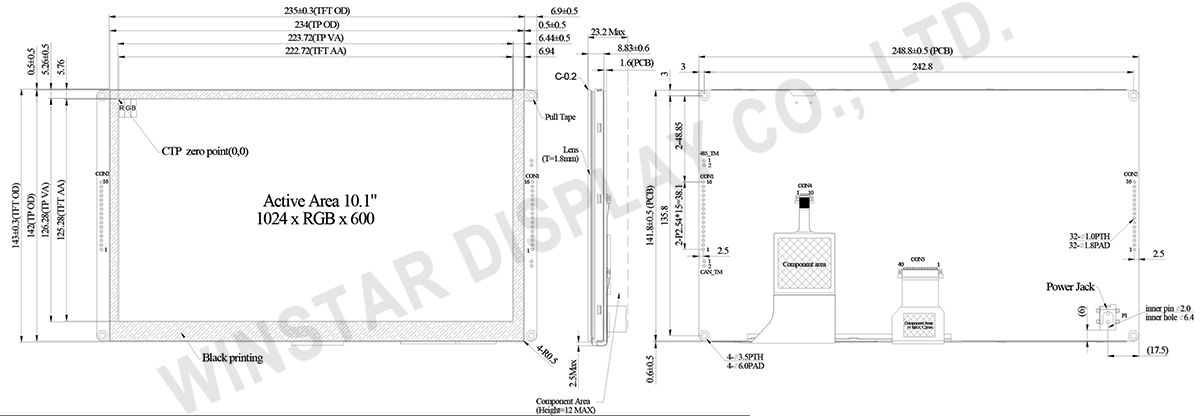
DRAWING

Smart Display 10.1 inch CAN Bus TFT with Projected Capacitive Touch (Custom CAN ID + GPIO), CAN Display- WL0F00101000JGAACSA05

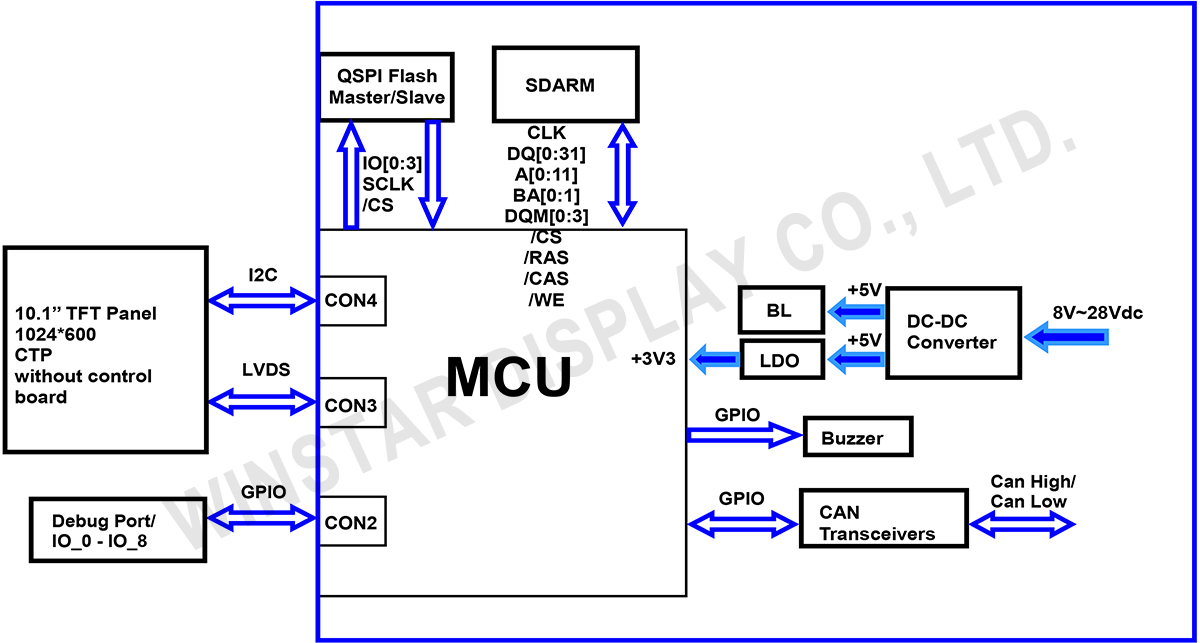
Block diagram

Block Diagram - WL0F00101000JGAACSA05

SPECIFICATIONS

General Specifications

Item Standard Value Unit
Operating voltage 8V~28V dynamic Vdc
Communication Interface CAN bus Vpp
MCU STM32F746 N/A
Flash Memory 32 MB
LCD display size 10.1 inch
Dot Matrix 1024 x RGB x 600(TFT) dots
Module dimension 248.8(W) x 143(H) x 23.2(D) mm
Active area 222.72 (H) x 125.28(V) mm
Dot pitch 0.2175(W) x 0.2088(H) mm
Brightness Min:300;Typ:400
LCD type TFT, Normally Black, Transmissive
View Direction 85/85/85/85
Aspect Ratio 16:9
Touch Panel Projected Capacitive Touch Panel (PCAP)
Surface Glare

Absolute Maximum Ratings

Item Symbol Min Typ Max Unit
Operating Temperature TOP -20 +70
Storage Temperature TST -30 +80

Electrical Characteristics

Item Symbol Condition Min Typ Max Unit
Supply Voltage VCC 8 12 28 V
Supply LCM current I(mA) - - 530 - mA

BOM

Item Description
LCM WF101JTYAHLNB0#
PCBA SV10010R100JB00N0108

Interface Pin Function

CON1 definition

Pin Symbol Function Remark
1 VIN Power supply12V input Input
2 GND Power supply GND input Input
3 CAN_H CAN bus D+ I/O
4 CAN_L CAN bus D- I/O
5 GND Power supply GND input GND
6 GND Power supply GND input GND
7 Reserve USB_D- Reserve
8 Reserve USB_D+ Reserve
9 NC - -
10 Reserve USART RX interface(Reserve) Reserve
11 Reserve USART TX interface(Reserve) Reserve
12 GND Power supply GND input GND
13 +12V Power supply12V input Input
14 NC - -
15 NC - -
16 GND Power supply GND input Input
 

CON2 definition

Pin Symbol Function Remark
1 +3V3 3.3V power for JTAG interface Output
2 SWCLK CLK pin for JTAG interface Input
3 GND GND for JTAG interface Output
4 SWDIO Data pin for JTAG interface I/O
5 NRST Reset pin for JTAG interface Input
6 GND GND Output
7 IO_8 (PA0) for system Resume
from suspend (Reserve)
WKup,ADC,Timer,Event,I/O
8 REST Reset (active Low) I
9 IO_0 ADC,DAC,Timer,Event,I/O PA5
10 IO_1 ADC,Timer,Event,I/O PA6
11 IO_2 ADC,Timer,Event,I/O PA7
12 IO_3 RST,Timer,Event,I/O PA8
13 IO_4 RST,Timer,Event,I/O PC13
14 IO_5 ADC,Timer,Event,I/O PB11
15 IO_6 RST,Timer,Event,I/O PA15
16 IO_7 RST,ADC,Event,I/O PD11
go top
close

We value your privacy

By clicking "Allow All Cookies", you agree to the storing of cookies on your device to enhance site navigation, analyse site usage, and assist in our marketing and performance efforts. You can find further information this subject in our policy.

We value your privacy

Winstar and certain third parties use cookies on www.winstar.com.tw. The details regarding the types of
cookies, their purpose and the third parties involved are described below and in our Cookie Policy.
Please click on “Allow All” to consent to our usage of cookies in order to have the best possible
experience on our websites. You can also set your preferences or reject cookies (except for strictly
necessary cookies).

Manage Consent Preferences

Always Active
Essential Cookies

These cookies are essential in order to enable you to move around the website and use its
features, such as setting your privacy preferences, logging in or filling in forms.

Analytics Cookies

Also known as “statistics cookies,” these cookies collect information about how you use a website, like which pages you visited and which links you clicked on. See Detail