Release Date: March 2026
New Features: Smart Display GUI Builder v0.8.4_WS adds QR Code widget support for the 5” UART protocol in the 16MB series, along with support for up to 255 widgets per page and GPIO status feedback to the host in the 16MB Custom CAN ID protocol.
Support QR Code Widget
Before: This function was not available.
After: QR Code widget support is first introduced for the 5" UART protocol in the 16MB series. Users can send commands to update the QR code content promptly.
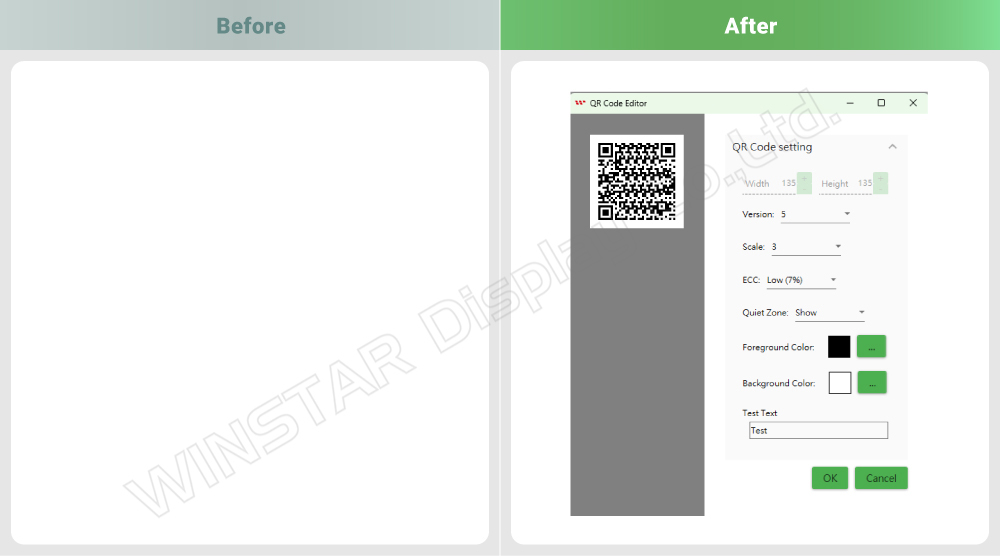
Note:
- Available for the 5" UART protocol in the 16MB series.
- Maximum 99 characters.
QR Code Editor Settings
Version: The size of the QR code ranges from Version 1 (21×21 modules) to Version 40 (177×177 modules).
The higher the version, the larger the QR code size and the more data it can store.
Scale: The physical size of a single "module" in the QR code.
Large Scale: Larger modules allow longer scanning distance, but also result in a larger overall QR code area.
Small Scale: Smaller modules are suitable for higher data density, but require close-range, high-resolution scanning.
ECC (Error Correction Code):
The QR code can still be read even if parts of it are dirty, damaged, or obscured.
Level L / M / Q / H: ≈ 7% / 15% / 25% / 30% error correction.
Higher ECC levels require more storage space, reducing the maximum data capacity.

Support Up to 255 Widgets per Page
Before: Up to 64 widgets per page.
After: Supports up to 255 widgets per page for more flexible use.

Note:
- Newly added for the Custom CAN ID protocol in the 16MB series.
Host Can Check GPIO Status When High/Low Changes Occur
Before: Triggering a GPIO action would not send any status command to the host.
After: The host can detect GPIO high/low status changes. Users can check the GPIO high/low status in the Test Device log in GUI Builder.
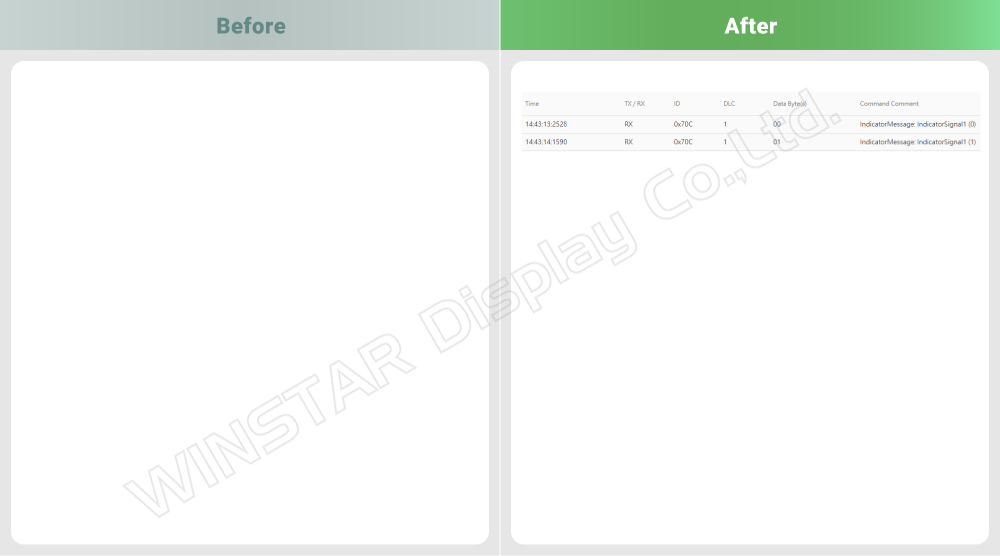
Note:
- Newly added for the Custom CAN ID protocol in the 16MB series.
Comparison List
The table below shows the current object and page limits across different Smart Display protocols and memory configurations. In v0.8.4_WS, support for up to 255 widgets per page is newly added for the 16MB Custom CAN ID protocol.
| Item |
16MB
Custom CAN ID |
16MB
CANopen/RS485 |
16MB
UART |
32MB |
| Maximum objects per page |
255 |
64 |
255 |
255 |
| Total objects |
500 |
500 |
500 |
1000 |
| Maximum pages |
30 |
30 |
30 |
64 |
Return to the Smart Display GUI Builder Version History page to see all released updates.