Release Date: September 2026
New Features & UI Improvements: Smart Display GUI Builder v0.8.7_WS improves the widget editing workflow by moving the Add Widget icon to the top and automatically opening the editor when a new widget is added. This release also adds default brightness settings for supported UART models and scale exponent settings for the Number widget.
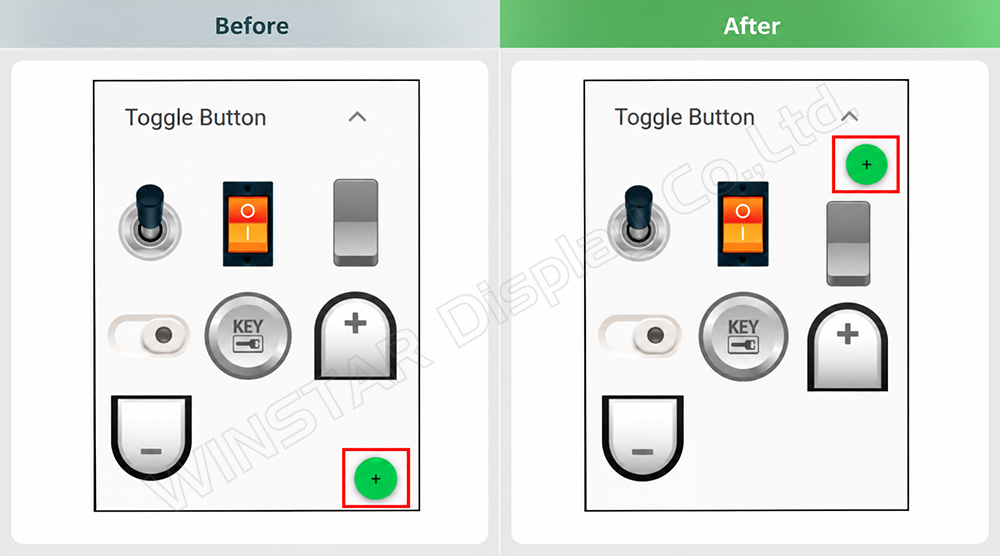
Move the “Add Widget” Icon from the Bottom to the Top
Before: The icon was at the bottom.
After: Based on customer feedback, the icon has been moved from the bottom to the top for more intuitive use.
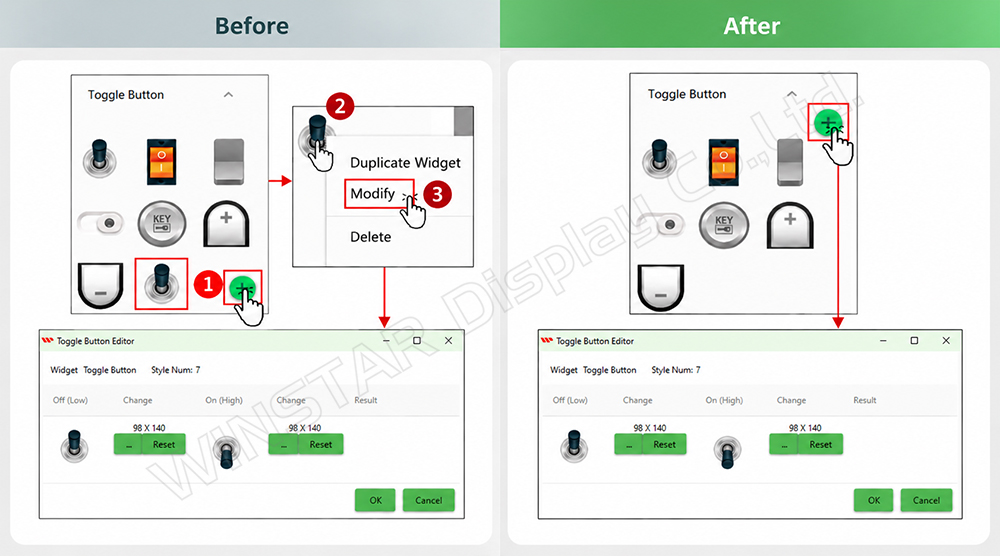
Automatically Open the Editor When Adding a New Widget
Before: Users needed three clicks to open the editor.
- Add widget
- Right-click the widget
- Modify
After: The editor now opens automatically when a new widget is added.
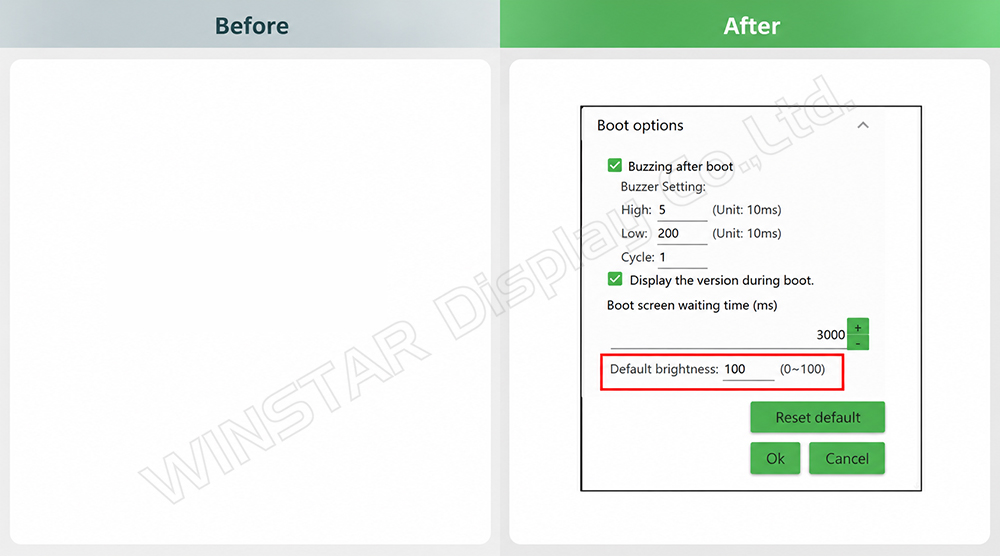
Support Default Brightness Setting
Before: This function was only available for the Custom CAN ID series.
After: The default brightness setting is now available under Widget > Splash Screen > Modify.
Note:
- For 4.3" UART.
- For 7" (1024×600) UART in 16MB & 32MB series.
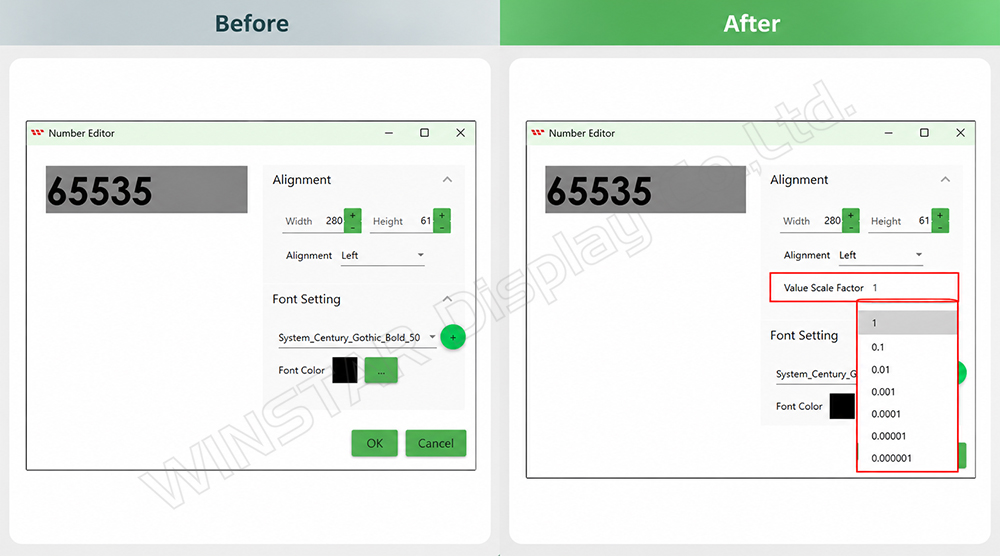
Add Scale Exponent Setting Support for the Number Widget
Before: This function was not available.
After: The Number widget now supports scale exponent settings for decimal values.
Note:
- For 7" (1024×600) UART in 16MB & 32MB series.
Return to the Smart Display GUI Builder Version History page to see all released updates.