
私たちはあなたのプライバシーを大切にします
「すべてのクッキーを許可」をクリックすると、サイトのナビゲーションを向上させ、サイト使用状況を分析し、マーケティングおよびパフォーマンスの取り組みを支援するために、クッキーをデバイスに保存することに同意したことになります。この件に関する詳細情報は、ポリシーをご覧ください。プライバシーポリシー

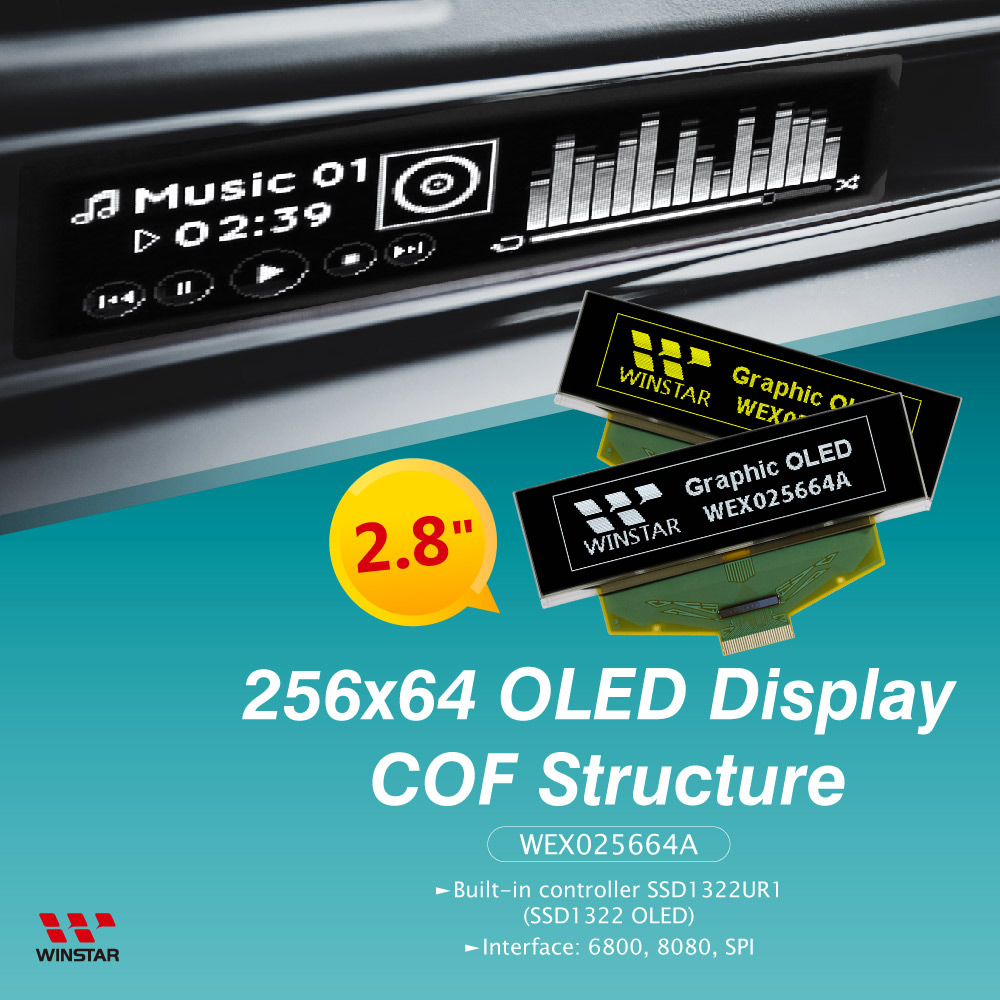
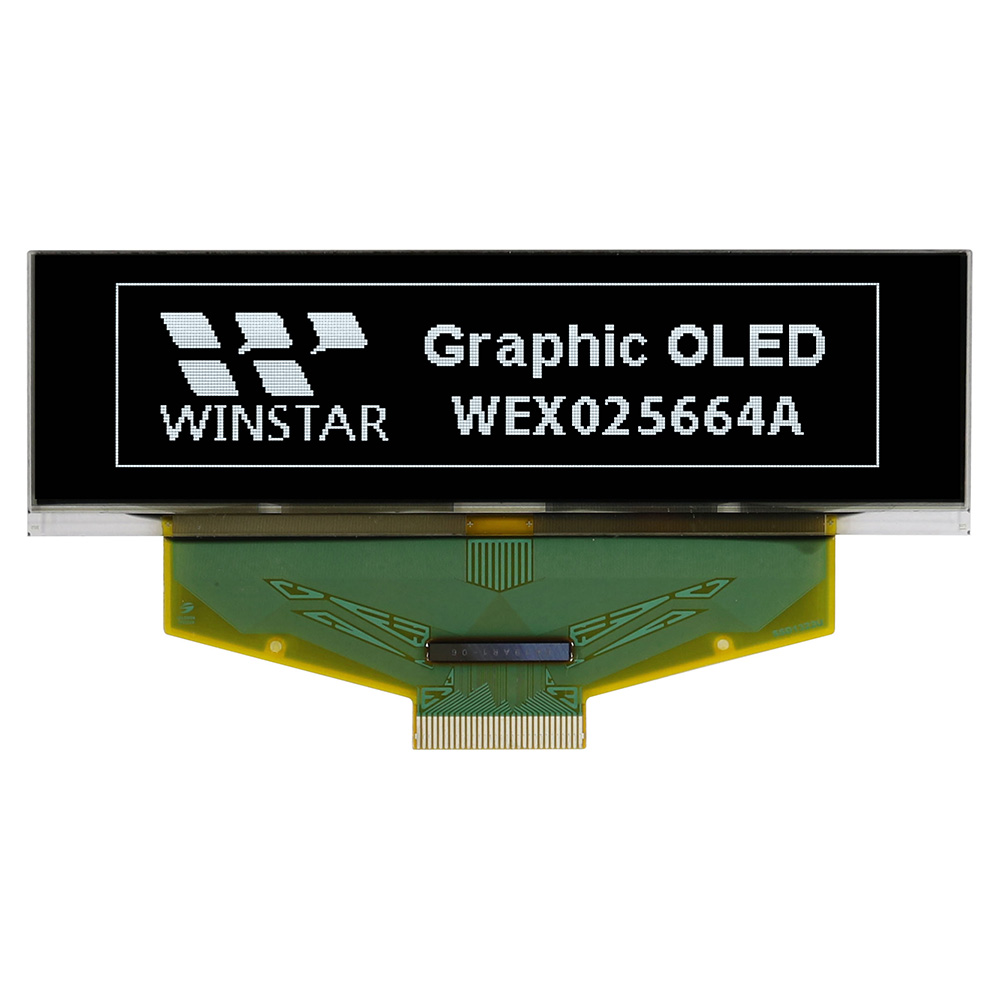
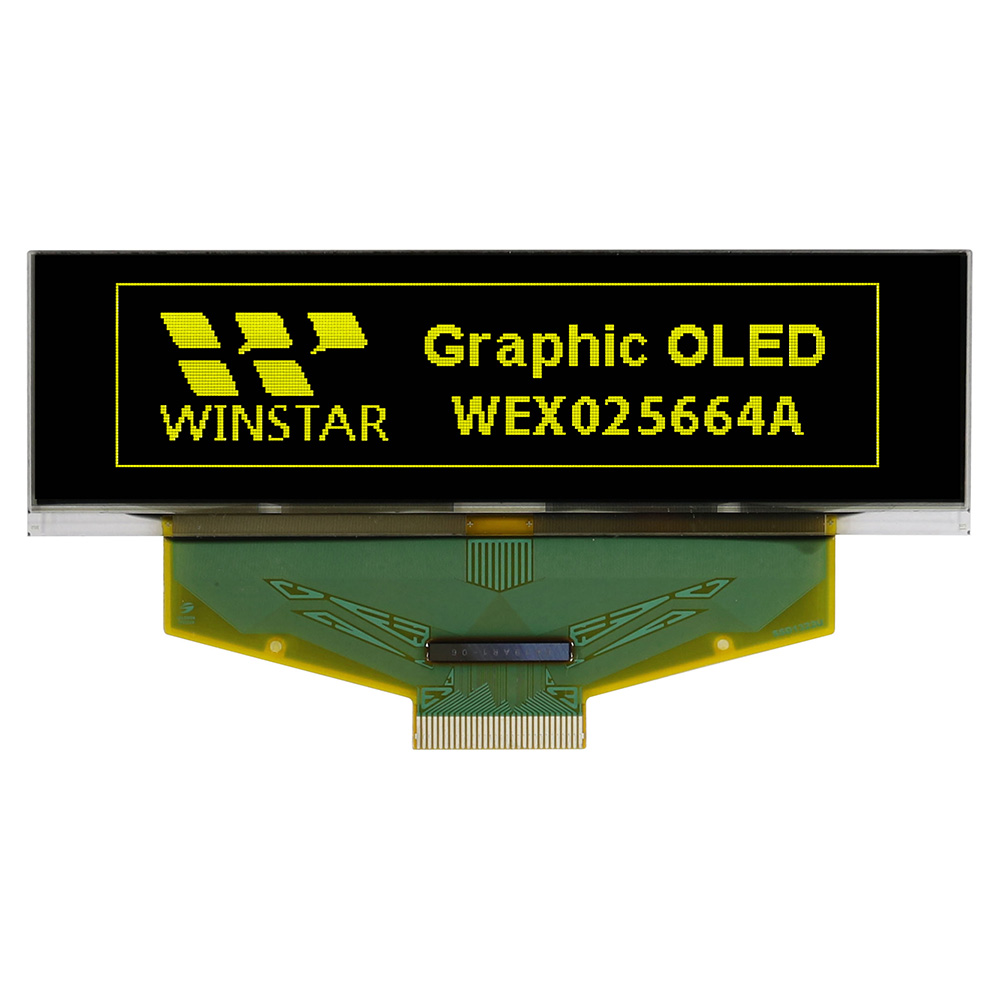
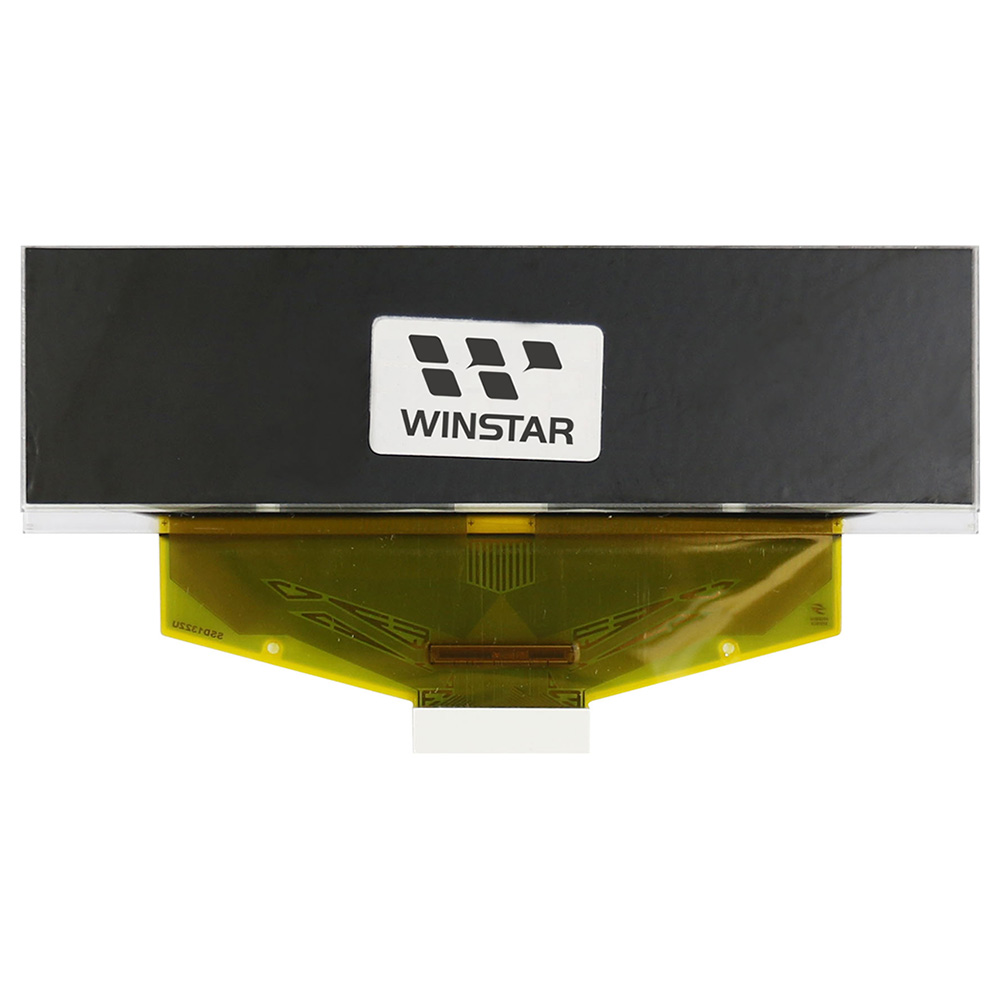
WEX025664Aは、256x64ドットの解像度を持つ2.8インチのグラフィックOLEDディスプレイモジュールです。Chip-on-Film(COF)構造を採用し、モジュール外形寸法は84.0 × 25.8 × 2.15 mm、有効表示領域は69.098 × 17.258 mmです。横長の表示エリアを備えており、限られたスペースに文字、グラフィック、ステータス情報を表示する機器への組み込みに適しています。
この256x64 OLEDディスプレイは、SSD1322コントローラICを搭載し、6800/8080方式の8ビットパラレルインターフェースおよび3線式/4線式SPIに対応しています。各種ホストシステムとの接続が可能です。また、階調表示をサポートしており、輝度の違いを利用したグラフィック表示ができます。駆動方式は1/64 Dutyで、表示色は白色と黄色から選択できます。
WEX025664Aの低電圧電源(VCI)は2.8~3.3V(標準3.0V)、表示駆動電圧(VCC)は14~15V(標準14.5V)です。電源回路やインターフェース回路を設計する際には、これらの電圧条件を考慮する必要があります。
WEX025664Aは、産業機器、組み込みシステム、ハンディ計測器、ローカル監視用インターフェースなど、限られたパネルスペースに文字やグラフィック、機器の状態情報を表示する用途に適しています。同様の要件はサーバーのフロントパネルにも見られ、設置スペースと表示する情報に応じた設計が求められます。
2UサーバーのフロントパネルにおけるOLEDディスプレイの組み込みについては、技術記事「2Uサーバーのローカル監視インターフェースにおけるPMOLEDの活用と設計」をご覧ください。
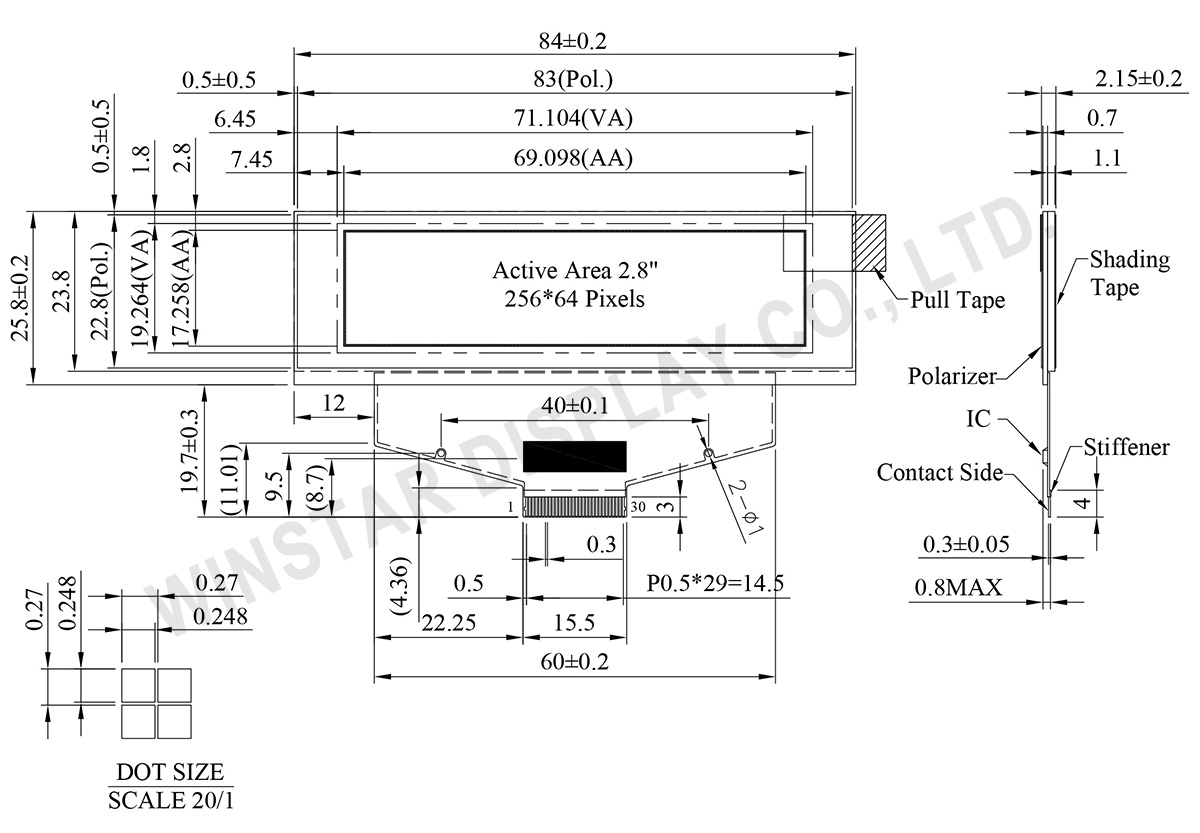
| 項目 | 仕様 | 単位 |
|---|---|---|
| モジュールサイズ | 256 x 64 Dots | - |
| 表示エリア | 84.0×25.8×2.15 | mm |
| アクティブエリア | 69.098×17.258 | mm |
| ドットサイズ | 0.248×0.248 | mm |
| ドットピッチ | 0.27×0.27 | mm |
| 表示モード | パッシブマトリクス | |
| 表示カラー | モノクロ | |
| 駆動方法 | 1/64 Duty | |
| IC | SSD1322 (COF) | |
| インターフェイス | 6800, 8080, SPI | |
| サイズ | 2.8 インチ | |
| パラメーター | 記号 | 最小値 | 最大値 | 単位 |
|---|---|---|---|---|
| ロジック電源電圧 | VDD | -0.5 | 2.75 | V |
| 低電圧電源 | VCI | -0.3 | 4.0 | V |
| 入力/出力ピンの電源電圧 | VDDIO | -0.5 | VCI | V |
| 表示用電源電圧 | VCC | -0.5 | 20.0 | V |
| 操作温度 | TOP | -40 | +80 | °C |
| 保存温度 | TSTG | -40 | +85 | °C |
| 項目 | 記号 | 条件 | 最小値 | 典型値 | 最大値 | 単位 |
|---|---|---|---|---|---|---|
| ロジック電源電圧 | VCI | Note | 2.8 | 3.0 | 3.3 | V |
| 表示用電源電圧 | VCC | - | 14 | 14.5 | 15 | V |
| 高レベル入力 | VIH | - | 0.8×VDDIO | - | VDDIO | V |
| 低レベル入力 | VIL | - | 0 | - | 0.2×VDDIO | V |
| 高レベル出力 | VOH | - | 0.9×VDDIO | - | VDDIO | V |
| 低レベル出力 | VOL | - | 0 | - | 0.1×VDDIO | V |
| 50% チェックボード動作電流 | VCC =14.5V | 25 | 30 | 32 | mA | |
| Pin Number | 記号 | I/O | 説明 | ||||||||||||||||
|---|---|---|---|---|---|---|---|---|---|---|---|---|---|---|---|---|---|---|---|
| Power Supply | |||||||||||||||||||
| 26 | VCI | P | Power Supply for Operation This is a voltage supply pin. It must be connected to external source & always be equal to or higher than VDD & VDDIO. |
||||||||||||||||
| 25 | VDD | P | Power Supply for Core Logic Circuit This is a voltage supply pin. It can be supplied externally (within the range of 2.4~2.6V) or regulated internally from VCI. A capacitor should be connected between this pin & VSS under all circumstances. |
||||||||||||||||
| 24 | VDDIO | P | Power Supply for I/O Pin This pin is a power supply pin of I/O buffer. It should be connected to VDD or external source. All I/O signal should have VIH reference to VDDIO. When I/O signal pins (BS0~BS1, D0~D7, control signals…) pull high, they should be connected to VDDIO. |
||||||||||||||||
| 2 | VSS | P | Ground of Logic Circuit This is a ground pin. It also acts as a reference for the logic pins. It must be connected to external ground. |
||||||||||||||||
| 3,29 | VCC | P | Power Supply for OLED Panel These are the most positive voltage supply pin of the chip. They must be connected to external source. |
||||||||||||||||
| 5,28 | VLSS | P | Ground of Analog Circuit These are the analog ground pins. They should be connected to VSS externally. |
||||||||||||||||
| Driver | |||||||||||||||||||
| 22 | IREF | I | Current Reference for Brightness Adjustment This pin is segment current reference pin. A resistor should be connected between this pin and VSS. Set the current lower than 10uA. |
||||||||||||||||
| 4 | VCOMH | P | Voltage Output High Level for COM Signal This pin is the input pin for the voltage output high level for COM signals. A tantalum capacitor should be connected between this pin and VSS. |
||||||||||||||||
| 27 | VSL | P | Voltage Output Low Level for SEG Signal This is segment voltage reference pin. When external VSL is not used, this pin should be left open. When external VSL is used, this pin should connect with resistor and diode to ground. |
||||||||||||||||
| Testing Pads | |||||||||||||||||||
| 21 | FR | O | This pin is No Connection pins. Nothing should be connected to this pin. This pin should be left open individually. | ||||||||||||||||
| 16 | BS0 | I | Communicating Protocol Select These pins are MCU interface selection input. See the following table:
|
||||||||||||||||
| 17 | BS1 | ||||||||||||||||||
| 20 | RES# | I | Power Reset for Controller and Driver This pin is reset signal input. When the pin is low, initialization of the chip is executed. |
||||||||||||||||
| 19 | CS# | I | Chip Select This pin is the chip select input. The chip is enabled for MCU communication only when CS# is pulled low. |
||||||||||||||||
| 18 | D/C# | I | Data/Command Control This pin is Data/Command control pin. When the pin is pulled high, the input at D7~D0 is treated as display data. When the pin is pulled low, the input at D7~D0 will be transferred to the command register. For detail relationship to MCU interface signals, please refer to the Timing Characteristics Diagrams. |
||||||||||||||||
| 14 | E/RD# | I | Read/Write Enable or Read This pin is MCU interface input. When interfacing to a 68XX-series microprocessor, this pin will be used as the Enable (E) signal. Read/write operation is initiated when this pin is pulled high and the CS# is pulled low. When connecting to an 80XX-microprocessor, this pin receives the Read (RD#) signal. Data read operation is initiated when this pin is pulled low and CS# is pulled low. When serial mode is selected, this pin must be connected to VSS. |
||||||||||||||||
| 15 | R/W# | I | Read/Write Select or Write This pin is MCU interface input. When interfacing to a 68XX-series microprocessor, this pin will be used as Read/Write (R/W#) selection input. Pull this pin to “High” for read mode and pull it to “Low” for write mode. When 80XX interface mode is selected, this pin will be the Write (WR#) input. Data write operation is initiated when this pin is pulled low and the CS# is pulled low. When serial mode is selected, this pin must be connected to VSS. |
||||||||||||||||
| 6~13 | D7~D0 | I/O | Host Data Input/Output Bus These pins are 8-bit bi-directional data bus to be connected to the microprocessor’s data bus. When serial mode is selected, D1 will be the serial data input SDIN and D0 will be the serial clock input SCLK. Unused pins must be connected to VSS except for D2 in serial mode. |
||||||||||||||||
| Reserve | |||||||||||||||||||
| 23 | N.C. | - | Reserved Pin The N.C. pin between function pins are reserved for compatible and flexible design. |
||||||||||||||||
| 1,30 | N.C. (GND) | - | Reserved Pin (Supporting Pin) The supporting pins can reduce the influences from stresses on the function pins. These pins must be connected to external ground. |
||||||||||||||||


「すべてのクッキーを許可」をクリックすると、サイトのナビゲーションを向上させ、サイト使用状況を分析し、マーケティングおよびパフォーマンスの取り組みを支援するために、クッキーをデバイスに保存することに同意したことになります。この件に関する詳細情報は、ポリシーをご覧ください。プライバシーポリシー