
Ana sayfa Ürünler OLED Ekran Dokunmatik Ekran OLED WEN025664D-CTP

5,5 inç 256x64 OLED ekran (CTP dokunmatik, PCB dahil)

Model No. WEN025664D-CTP

►Türü : Grafik
►Yapı : COF+FR+PCB
►Boyut : 5.5 inç
►256×64 dot matrisi
►IC:SSD1322
►3V güç sağlayıcı
►1/64 görev döngüsü
►Ara yüz :6800, 8080, SPI
►Dokunmatik Ekran: Kapasitif dokunmatik panelle birlikte (CTP)
►Dokunma Noktaları : 1 Parmak
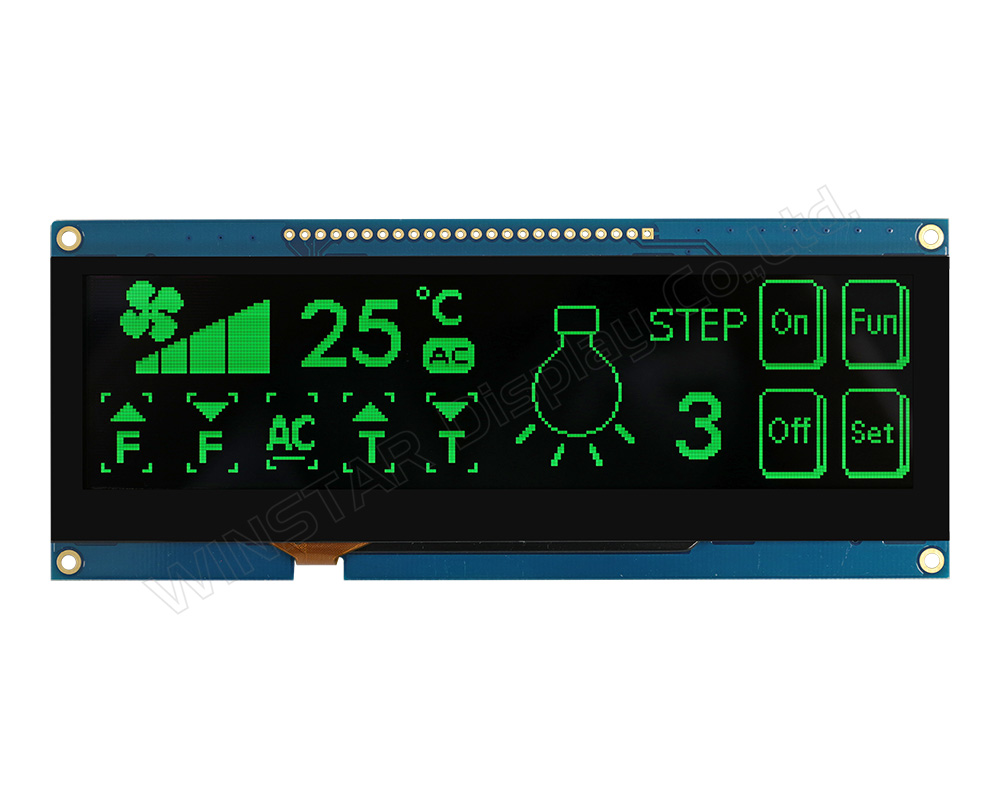
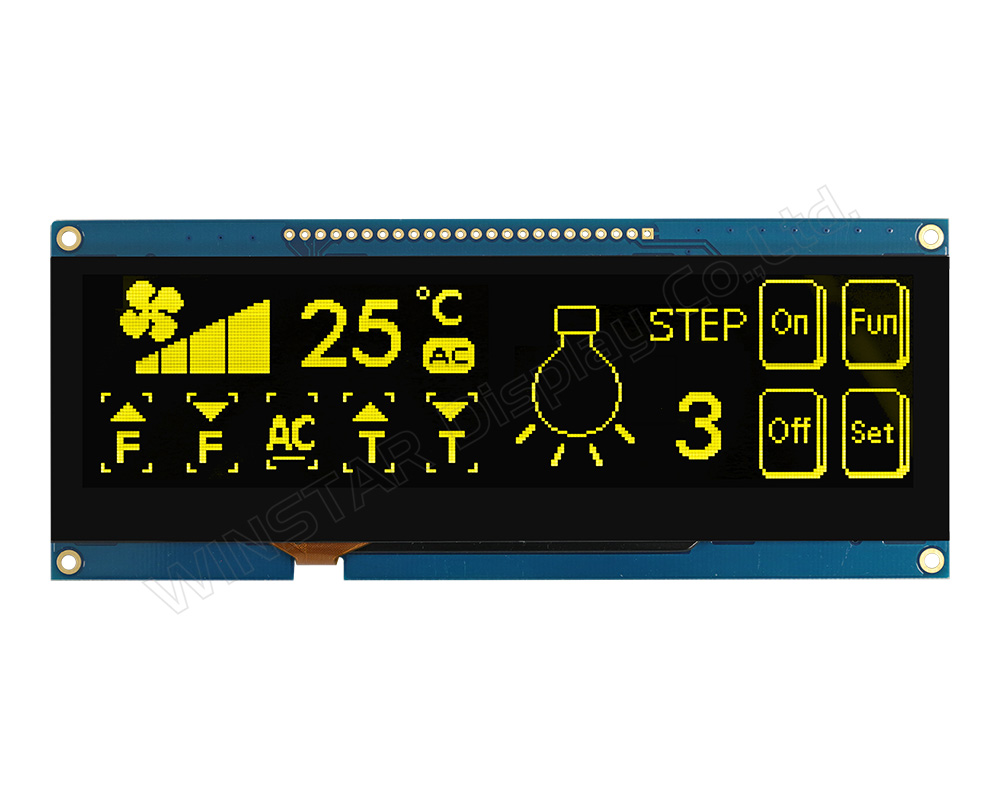
►OLED Rengi: Beyaz / Sarı / Yeşil
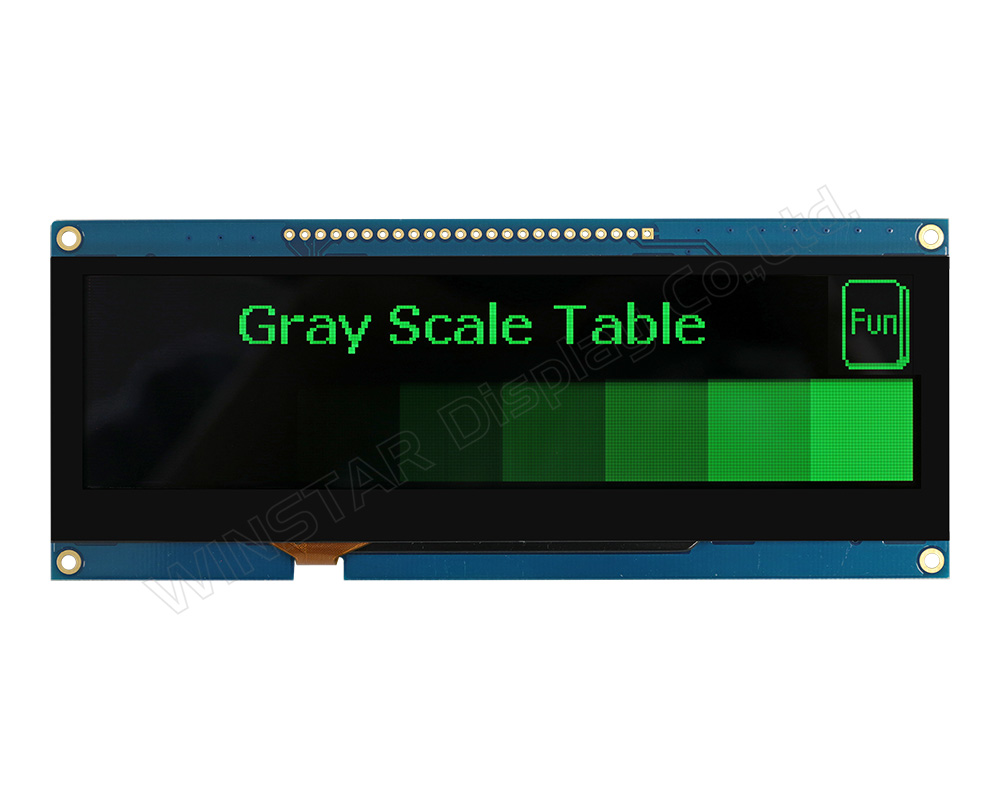
►Gri Tonlama Desteği

Açıklama

WEN025664D-CTP, PCB, çerçeve ve kapasitif dokunmatik panel entegreli 5.5 inç COF OLED ekran modülüdür. 256x64 çözünürlük sunar ve SSD1322 kontrolcüsü ile sürülür. 6800/8080 8-bit ve 3-/4-line SPI arayüzlerini destekler, 3V ile çalışır, 1/64 duty ve 4-bit gri tonlama sağlar.

Kapasitif dokunmatik panel (CTP), GT911 kontrolcü ve I2C arayüzü ile tek dokunuş desteği sunar. Standart parlak cam yüzeye sahiptir.

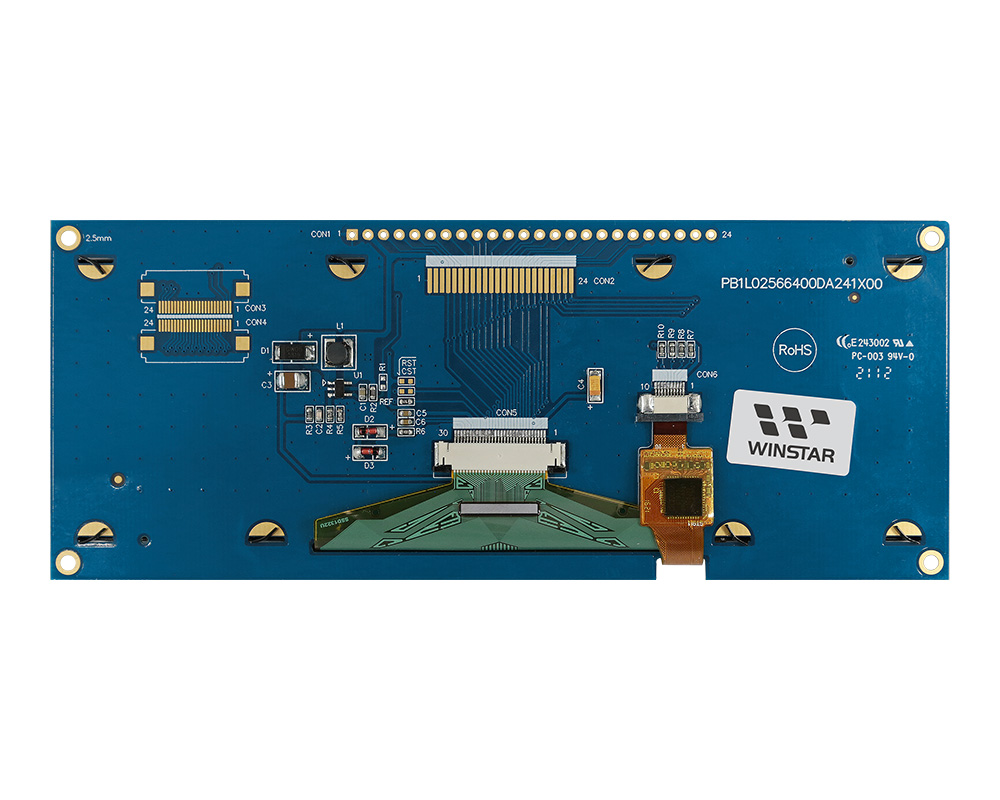
Modül, doğrudan bağlantı sağlayan entegre PCB içerir ve ek kart ihtiyacını azaltır. PIN, FFC, CN ve FPC bağlantılarını destekler ve 4 montaj deliği bulunur.

Çalışma sıcaklığı: -20°C ~ +70°C; depolama: -30°C ~ +80°C.

Alternatifler:

POS sistemleri, otomatlar, tıbbi cihazlar ve endüstriyel uygulamalar için uygundur.

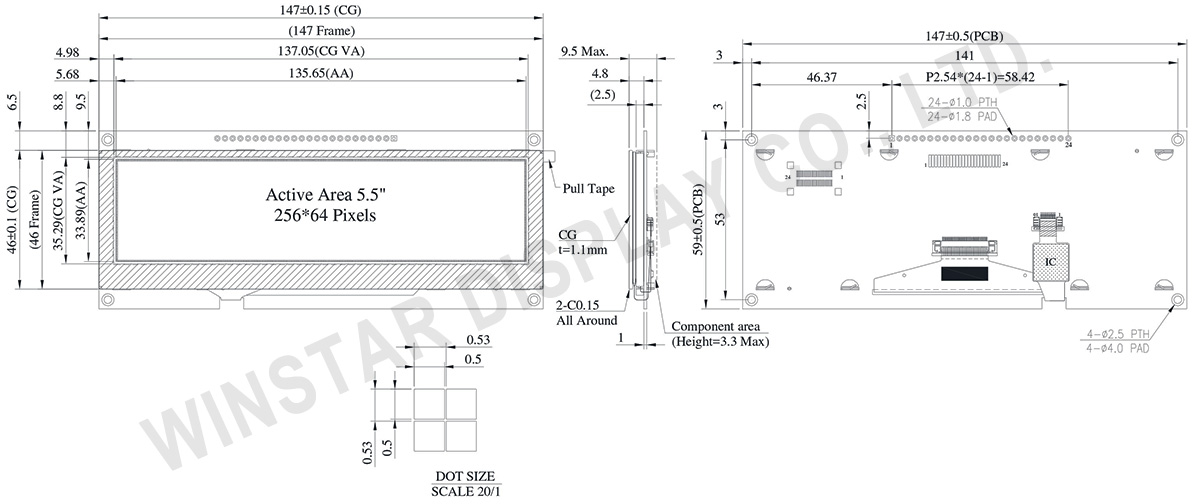
ÇIZIM

5.5 inch 256x64 COF Touch OLED Display with PCB +Frame - WEN025664D-CTP

Data source ref:WEN025664DGPP3D00000

AYRINTILAR

Mekanik Veri

Özellik Ölçü Birim
Nokta Matrisi 256 × 64 Dots
Modül ölçüleri 147.0 × 59 × 4.8 mm
Aktif alan 135.65 × 33.89 mm
Nokta boyutu 0.5 × 0.5 mm
Nokta sıklığı 0.53  × 0.53 mm
Görüntüleme modu Pasif matris
Görüntü rengi Monokrom
Sürüş oranı 1/64 Duty
Gri Tonlama 4 bits
OLED IC SSD1322
OLED Arayüz 6800, 8080, SPI
Boyut (Köşegen) 5.5 inch
 
CTP IC GT911
Dokunma Noktaları 1
CTP Arayüz I2C
Yüzey Parlak (standart)

Maksimum Değerler

Parametre Sembol Min Max Birim
Ekran için besleme voltajı VDD -0.3 4 V
Çalışma Sıcaklığı TOP -20 +70 °C
Saklama Sıcaklığı TSTG -30 +80 °C

Elektronik Özellikleri

DC Elektronik Özellikleri

Kalem Sembol Durum Min Typ Max Birim
Mantık İçin Besleme Gerilimi VDD 2.8 3.0 3.3 V
Giriş yüksek seviyesi VIH 0.8×VDD VDD V
Giriş düşük seviyesi VIL 0 0.2×VDD V
Çıkış yüksek seviyesi VOH 0.9×VDD VDD V
Çıkış düşük seviyesi VOL 0 0.1×VDD V
%50 piksel durumunda kart çalışma akımı IDD VDD =3V 240 400 mA

Arayüz Pin Fonksiyonlari

Pin Number Sembol I/O Fonksiyon
1 VSS P Ground.
2 VDD P Power Supply for Core Logic Circuit
Power supply pin for core logic operation. A capacitor is required to connect between this pin and VSS
3 N.C. P Reserved Pin
The N.C. pin between function pins are reserved for compatible and flexible design.
4 D/C# I Data/Command Control
This pin is Data/Command control pin connecting to the MCU.
When the pin is pulled HIGH, the content at D[7:0] will be interpreted as data.
When the pin is pulled LOW, the content at D[7:0] will be interpreted as command.
5 R/W#
(WR#)
I Read/Write Select or Write
This pin is MCU interface input. When interfacing to a 68XX-series microprocessor, this pin will be used as Read/Write (R/W#) selection input. Pull this pin to “High” for read mode and pull it to “Low” for write mode.
When 80XX interface mode is selected, this pin will be the Write (WR#) input. Data write operation is initiated when this pin is pulled low and the CS# is pulled low.
When serial mode is selected, this pin must be connected to VSS.
6 E/RD# I Read/Write Enable or Read
This pin is MCU interface input. When interfacing to a 68XX-series microprocessor, this pin will be used as the Enable (E) signal. Read/write operation is initiated when this pin is pulled high and the CS# is pulled low.
When connecting to an 80XX-microprocessor, this pin receives the Read (RD#) signal. Data read operation is initiated when this pin is pulled low and CS# is pulled low.
When serial mode is selected, this pin must be connected to VSS.
7~14 DB0 I/O Host Data Input/Output Bus
These pins are 8-bit bi-directional data bus to be connected to the microprocessor’s data bus.
When serial mode is selected, D1 will be the serial data input SDIN and D0 will be the serial clock input SCLK.
DB1
DB2
DB3
DB4
DB5
DB6
DB7
15 NC P Reserved Pin
The N.C. pin between function pins are reserved for compatible and flexible design.
16 RES# I This pin is reset signal input.
When the pin is pulled LOW, initialization of the chip is executed.
Keep this pin pull HIGH during normal operation.
17 CS# I Data/Command Control
This pin is the chip select input connecting to the MCU. The chip is enabled for MCU communication only when CS# is pulled LOW.
18 NC P Reserved Pin
The N.C. pin between function pins are reserved for compatible and flexible design.
19 BS1 I Communicating Protocol Select
These pins are MCU interface selection input. See the following table:
BS[1:0] Bus Interface Selection
00 4 line SPI
01 3 line SPI
10 8-bit 8080 parallel
11 8-bit 6800 parallel
Note
(1) 0 is connected to VSS
(2) 1 is connected to VDD
20 BS0
21 TP_SCK I I2C clock input
22 TP_SDA I I2C data input and output
23 TP_INT I External interrupt to the host
24 TP_RST I External Reset, Low is active

Related Products

go top
close

Gizliliğinize değer veriyoruz

"Tüm Çerezlere İzin Ver" seçeneğine tıklayarak, site gezinmesini geliştirmek, site kullanımını analiz etmek ve pazarlama ve performans çalışmalarımıza yardımcı olmak amacıyla cihazınıza çerezlerin kaydedilmesini kabul etmiş olursunuz. Bu konu hakkında daha fazla bilgiye politikamızda ulaşabilirsiniz. Gizlilik Politikası

Gizliliğinize değer veriyoruz

Winstar ve bazı üçüncü taraflar www.winstar.com.tw adresinde çerezler kullanmaktadır. Çerez türleri, amaçları ve ilgili üçüncü taraflar hakkındaki ayrıntılar aşağıda ve Çerez Politikamızda açıklanmaktadır. Web sitemizde en iyi deneyimi yaşamak için çerez kullanımına izin vermek amacıyla “Hepsine İzin Ver” düğmesine tıklayabilirsiniz. Ayrıca tercihlerinizi ayarlayabilir veya zorunlu olanlar haricindeki çerezleri reddedebilirsiniz.

Rıza tercihlerini yönet

Her zaman aktif
Gerekli Çerezler

Bu çerezler, web sitesinde gezinmenizi ve gizlilik tercihlerinizi ayarlamak, oturum açmak veya formları doldurmak gibi özellikleri kullanmanızı sağlamak için gereklidir.

Analitik Çerezler

“İstatistik çerezleri” olarak da bilinen bu çerezler, bir web sitesini nasıl kullandığınız hakkında bilgi toplar; örneğin, hangi sayfalara girdiğinizi ve hangi bağlantılara tıkladığınızı. Ayrıntılara bakın.